A player straps on a headset, takes three steps into your beautifully crafted world, and immediately rips it off because their stomach just turned. That moment won’t show up in a crash log, but it instantly costs you the sale, the review, and the player’s trust. In virtual reality (VR), the line between a five-star masterpiece and an immediate refund comes down to milliseconds: the time it takes for a frame to arrive and for movement to feel right in the human body, not just on a monitor.
This physical vulnerability is exactly why QA for spatial computing requires a specialized discipline, rather than a mere coat of paint on traditional game testing services. While a flat-screen title that drops a frame might annoy a player, a VR title that drops frames can make them physically ill.
To protect your launch, you have to look beyond standard debugging. This article breaks down the critical elements of VR QA that dictate player comfort and safety: fighting motion sickness, locking in frame rates, validating room-scale boundaries, ensuring flawless controller tracking, and surviving the headset fragmentation ecosystem. If you are building for Meta Quest, PlayStation VR, or PC VR and are currently evaluating specialized game testing services, this is the essential layer of quality assurance you must master before you ship.
What Is VR Game Testing?
VR game testing is the process of verifying that a virtual reality game runs comfortably, safely, and correctly across every supported headset. It verifies not only that features work but also that motion, frame rate, and physical space feel right to the person wearing the device.
Ordinary game quality assurance (QA) asks whether the software behaves as intended. However, virtual reality game testing asks the same question and one more that no flat-screen title ever faces: does the human body agree with what the eyes are being shown? The player is inside the test, so their balance, comfort, and safety factor into the pass-or-fail decision.
Why Frame Rate Turns VR Game Testing Into a Safety Check
Motion sickness in VR, sometimes called cybersickness, comes from a simple mismatch. Your eyes tell your brain you are moving through space while your inner ear insists you are sitting still. The brain reads that contradiction the way it reads mild poisoning, with nausea, sweating, and dizziness. The single biggest trigger for that clash is a late frame, because when the image cannot keep up with a turn of the head, the world lags behind the body and the player’s comfort collapses within seconds.
This is why frame rate sits at the center of VR game testing. Meta’s own developer guidelines require a minimum of 72 frames per second (FPS) for interactive Quest titles, with 90 FPS and 120 FPS supported on newer headsets. Applications that cannot maintain that rate fail store review outright (per Meta Horizon developer documentation). A number that a console game might treat as a nice-to-have becomes, in virtual reality, the line between an enjoyable session and a queasy one.
The stakes are commercial, not academic. IDC forecasts that mixed reality headsets, the Quest-class devices most VR games ship on, will grow from 3.2 million units in 2026 to 10.4 million by 2030 (IDC AR/VR headset forecast). Every one of those buyers can return a game that makes them ill, and every refund tends to arrive with a public review attached.
Sustained frame rate under real load is a performance problem, and the general methods behind it include load profiling, bottleneck hunting, and optimization. These are covered in our guide to game performance testing. The VR-specific twist is that a dropped frame here is not a lag spike. It’s a comfort failure with a bodily cost, so testers watch frame timing as closely as a lifeguard watches the water.
How Do You Test a VR Game?
You test a VR game by combining standard functional checks with virtual-reality-specific passes for comfort, frame rate, room-scale safety, controller tracking, and cross-headset compatibility. Then you validate each one on real hardware because emulators cannot reproduce how motion feels to humans. The sections below break down where the real work goes.

Comfort and Motion Sickness Testing in VR
Comfort is the one area of VR game testing that cannot be judged by a single person, because tolerance for artificial movement varies enormously from one player to the next. Therefore, a build that feels fine to a seasoned developer can floor a newcomer in under a minute. Reliable testing means putting the game in front of a diverse panel and measuring their responses with a structured instrument such as the Simulator Sickness Questionnaire (SSQ) or the Motion Sickness Assessment Questionnaire (MSAQ), so that the results are data rather than anecdotes.
To test for motion sickness in VR, you also exercise every comfort setting that the game ships with. Teleport movement, snap turning, and a vignette that narrows peripheral vision during motion each reduce nausea in different ways, and each needs to be verified across the locomotion options a player might choose. Testers extend sessions to the time people actually play, since discomfort often builds over 20 minutes rather than over two. They watch for late-session thermal throttling on standalone headsets, which quietly lowers the frame rate and reintroduces the very mismatch those comfort settings were meant to prevent.
Frame Rate and Latency Checks
Frame rate testing in VR goes beyond the average number on a graph. A title can report a healthy mean while stuttering exactly at the peak of the action, which is precisely the moment a missed frame does the most damage. Testers therefore continuously track frame timing, flag every dip below the headset’s required rate, and pin down the cause. Whether it’s a crowded scene, a physics spike, or heat building inside a standalone device, everything is examined closely. Latency gets the same scrutiny because the delay between a head movement and the matching image is what the inner ear notices first.
Room-Scale and Boundary Testing
Room-scale play adds a safety layer that seated games never worry about, since the player is physically walking, ducking, and reaching in a real room. The boundary system, called Guardian on Meta headsets and Chaperone on others, is designed to warn people before they bump into a wall or a coffee table. Therefore, testing confirms that it appears reliably, maps the true play area, and holds up when someone moves quickly. A border that flickers or lags is not a cosmetic bug but a bruised shin waiting to happen. That’s why this part of VR game testing carries genuine real-world consequences.
Controller and Hand Tracking Tests
Controllers and hand tracking represent the player’s hands in the world, and any drift instantly breaks the illusion. Testing covers tracking loss when a controller leaves the camera’s view, occlusion when one hand hides behind the other, correct behavior for left- and right-handed players, and haptic feedback that makes a virtual object feel solid. Recentering, the reset that returns a player’s view and hands to where they belong, gets checked too, because a game that loses its sense of forward leaves the user stranded.
Headset Fragmentation and VR Compatibility Testing
No two headsets behave the same way, so a game that runs beautifully on one can misfire on another. Different displays, refresh rates, controllers, and processing power mean that thorough VR game testing treats each supported device as its own target rather than assuming a single pass covers them all. This is where broader compatibility testing meets the specific demands of virtual reality, confirming that your title looks right, tracks right, and stays comfortable on every headset you promise to support.
Platform by Platform: Where VR Game Testing Priorities Shift
The three major VR ecosystems each move the goalposts in their own direction, which is why a single test plan rarely serves all of them. The table below shows where the effort is focused for each.
Meta Quest (standalone)
Sustained performance and thermal behavior over long sessions
Frame rate dropping as the chip overheats
Meta Horizon Store review, 72 FPS minimum
PlayStation VR2
Signature features such as eye-tracked foveated rendering and Sense adaptive triggers
Feature-specific faults on fixed hardware
Sony certification
PC VR
The spread of graphics cards, processors, and runtimes
Low-end stutter and driver quirks on unfamiliar rigs
SteamVR and OpenXR runtimes, no single store gate
- Meta Quest The headset does everything on its own, so the enemy is heat and limited power. A standalone chip that throttles under load will drop the frame rate mid-session, so work on Quest leans hard on sustained performance and thermal behavior across long play.
- PlayStation VR2 The hardware is fixed and powerful, yet it brings its own signature features, including eye-tracked foveated rendering and the Sense controllers with their adaptive triggers. Testing here confirms that those features behave correctly and that the title clears Sony’s certification bar.
- PC VR The machine underneath is a moving target. Players use wildly different graphics cards and processors, and runtimes via SteamVR or OpenXR, so coverage spans a spectrum of specifications to catch low-end stutter and driver quirks that only surface on someone else’s rig.
How QAwerk Delivers Reliable AR VR Game Testing Services
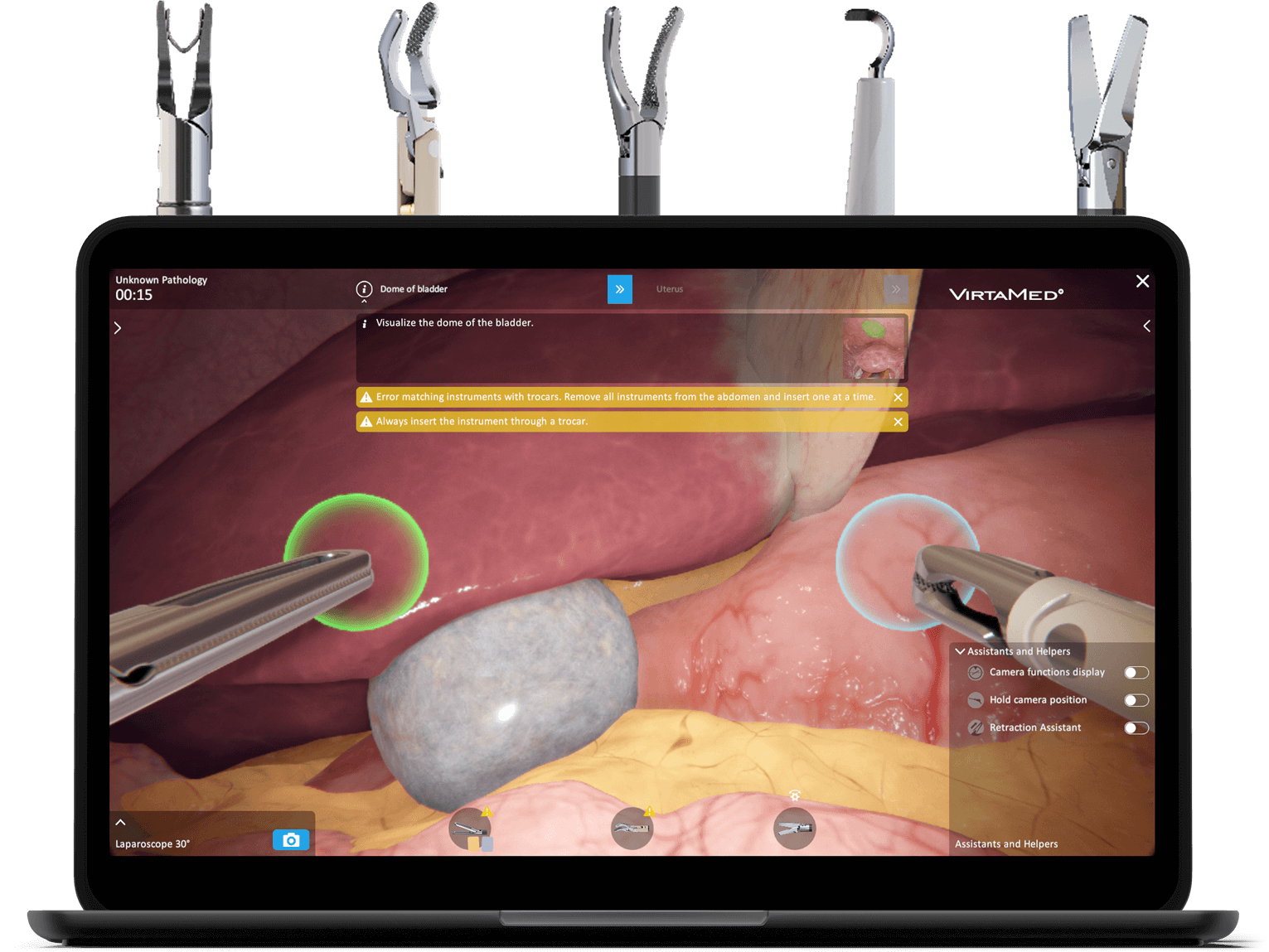
The clearest proof that VR quality is a matter of safety comes from the field where the stakes are highest. QAwerk provides ongoing VR testing for VirtaMed, whose virtual reality simulators train surgeons on real procedures before they ever touch a patient. When the product is a medical simulator, a tracking glitch or a comfort failure is not a lost sale but rather a training session that teaches the wrong lesson. Therefore, every release has to be stable, accurate, and comfortable. Our tester’s work provides VirtaMed with dependable, consistent releases and an independent, unbiased read on their software, which is exactly what a game studio wants before it puts a title in front of thousands of paying players.
That fresh, unbiased pair of eyes is the hardest thing to keep in-house, because once you are close to your own game, your team stops noticing the small stutter that a new player feels immediately. Our AR and VR testing services put your title through every check in this article, on the real headsets your players use, so motion sickness, boundary faults, and tracking drift surface in our lab instead of in your reviews.
When your next VR release is on the horizon, you know where to find us.
FAQ
When should VR game testing start?
Ideally, you should start as soon as the first playable scene exists. Comfort and motion problems are cheap to fix while the movement system is still flexible, but they become expensive once the whole game is built around it. Therefore, folding VR game testing into each milestone catches the costly issues while they are still small.
Can VR game testing be automated?
Only partly, as automation handles the repeatable side well. It deals with capturing frame timing, logging performance across builds, and flagging regressions after a fix. The comfort verdict, though, still needs real people in real headsets, because no script can feel nausea. So the strongest VR game testing pairs automated performance capture with hands-on human sessions.
How much does virtual reality game testing cost?
The price tracks scope rather than a fixed rate, since a single-headset indie title and a cross-platform release with room-scale movement demand very different amounts of work. The main drivers are:
- How many headsets you support
- How large and interactive the game is
- How many hours of live comfort sessions you want
We offer a free scoped quote as the quickest way to turn those factors into a number.
See how we helped bug-proof a VR training solution for surgeons and secure a CHF 12M government project