
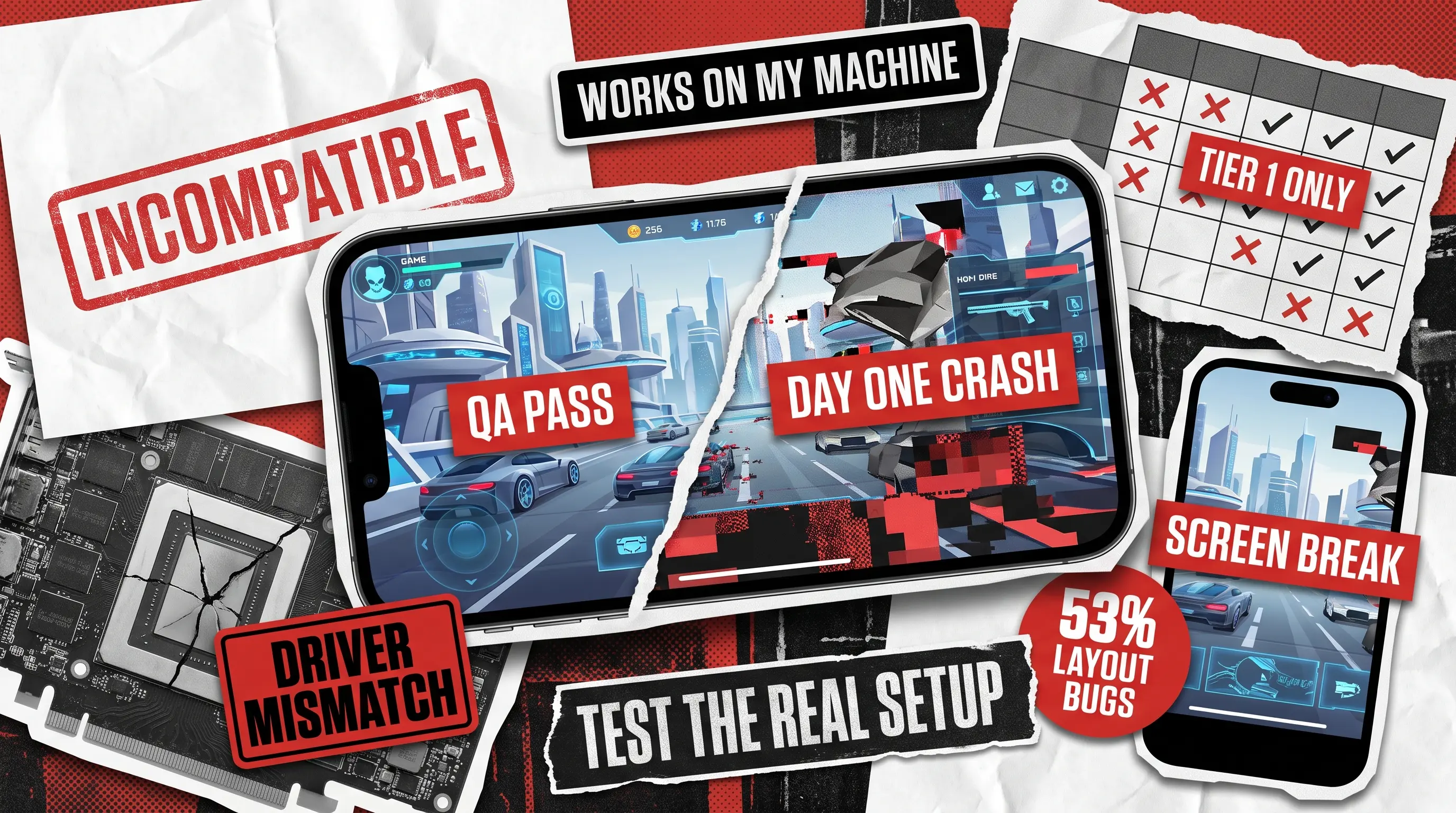
You have spent months polishing your game mechanics and finalizing your artwork, only for the title to crash on launch day for players using specific GPUs or mobile screens. The game was never broken. It just never met the hardware your players actually use.
This article treats compatibility as what it really is: a coverage problem. Instead of listing everything that can break, we’ll show you how to build a prioritized device and configuration matrix from real player data, so your game testing effort lands on the combinations that matter instead of chasing infinite permutations.
What Is Game Compatibility Testing?
Game compatibility testing is the practice of verifying that a game installs, launches, renders, and performs correctly across the range of hardware, operating systems, screen configurations, and distribution platforms your players actually use. It answers a question functional testing never asks: not “does this feature work?” but “does this feature work here, on this chipset, this OS build, this aspect ratio?”
The scope typically spans four dimensions:
- Hardware covers GPUs, CPUs, RAM tiers, and thermal behavior.
- Operating systems cover versions, vendor skins, and driver stacks.
- Displays cover resolutions, aspect ratios, refresh rates, notches, and cutouts.
- Distribution covers storefronts and launchers, since a Steam build, an Epic build, and a Game Pass build of the same game are not identical artifacts.
Compatibility testing is not a subset of functional testing, and the data backs that up, as the next section shows.
Why Game Compatibility Bugs Differ from Regular App Bugs
Games break differently than other software, and there is now solid research quantifying exactly how. A 2022 empirical study accepted at ISSRE analyzed four commercial mobile games totaling more than seven million lines of code and over 20,000 commits, manually confirming 91 distinct compatibility issues. The distribution of those issues should reshape how studios think about coverage.
What the research found.
UI layout problems were the most common symptom, accounting for 53% of studied issues. Performance issues followed at 26%, and functional issues trailed at 21%. Compare that with general Android software, where functional and performance issues account for 84% and 4% of compatibility problems respectively. In other words, the bug profile of a game is close to the inverse of a typical app.
Why hardware, not code, is the usual culprit.
The root cause analysis is even more instructive. Screen customization caused 53% of the issues, and computation units (GPU, CPU, RAM) caused another 30%. Most compatibility failures in games originate in hardware diversity rather than in the game’s own logic. That single fact explains why emulators and in-office spot checks keep missing bugs that players find in the first hour: you cannot reproduce a GPU driver quirk or a notch-induced layout break on hardware that doesn’t have them.

Why You Can't Test Every Configuration
The configuration space is effectively infinite. The Android install base alone is spread across many active OS versions and thousands of device models, which is why Google maintains a distribution dashboard just to help developers track it. On PC, the Steam Hardware Survey shows a long tail of GPUs, CPUs, resolutions, and OS versions that no lab could fully replicate. Consoles narrow the hardware but add certification requirements and storefront-specific build variants, and handhelds like the Steam Deck blur the categories further.
Budgets are not keeping pace with that complexity. In the State of Games QA report by modl.ai, 77% of surveyed developers said they didn’t conduct enough QA for their studio’s most recent release, and 50% said QA budgets aren’t growing fast enough to match the increasing complexity of modern games. The same study found that 70.3% of respondents had never launched a bug-free game.
The answer is not more testing. It is better-targeted testing. That is precisely what a compatibility matrix does.
How Do You Build a Compatibility Test Matrix for Games?
A compatibility test matrix is a prioritized table of device and configuration combinations, built from real player data, that defines exactly which setups get tested and how deeply. Building one takes five steps, and none of them starts with buying devices.
Step 1: Pull Real Player-Base Data
Guesswork is where matrices go wrong. Use the telemetry you already have: Google Play Console’s Reach and devices reports, App Store analytics, Steam Hardware Survey filtered by your genre’s audience, and your own crash and session data if the game is live.
For unreleased titles, use wishlist regions, publisher benchmarks, and data from comparable games in your genre. The goal is a ranked list of the devices, OS versions, and screen configurations your actual audience plays on.
Step 2: Define the Matrix Dimensions
Four axes cover most games: hardware (specific device models or GPU/CPU tiers), OS versions (including vendor skins on Android), screen configurations (resolution, aspect ratio, refresh rate, notches), and storefront or build variant.
Mobile-first games should weight screen configurations heavily, since the research above shows screen customization causing the majority of issues. PC titles lean on the hardware axis instead, spanning GPUs, drivers, and display setups, and our desktop game testing checklist breaks down those specifics step by step.
Step 3: Tier the Combinations
Not every cell in the matrix deserves equal attention. A practical split is three tiers:
- Tier 1 contains the configurations covering roughly the top 70 to 80% of your player base, and each gets a full compatibility pass every release.
- Tier 2 covers meaningful minorities, such as an older OS version still holding real market share, and gets smoke tests.
- Tier 3 covers edge configurations, tested on rotation or when telemetry flags a problem.
Step 4: Match Test Depth to Tier
Define what a “pass” means per tier before testing starts. A Tier 1 pass typically includes install and update flows, first launch, rendering checks across key scenes, input handling, performance profiling under load, and interrupt handling such as incoming calls and notifications. Dedicated compatibility testing teams formalize these checklists so results stay comparable across devices and releases.
Step 5: Keep the Matrix Alive
A matrix built once is a matrix already expiring. New OS betas, new flagship devices, and shifts in your own player analytics should all trigger a review. A practical rhythm is a light check each release cycle and a full rebuild once or twice a year, timed around major OS rollouts in the fall and flagship device launches in the spring. Post-launch crash data is equally valuable input, since a spike tied to a specific device or OS build is the matrix telling you where its blind spot was. Consoles have their own cadence tied to certification and platform updates.
How Do You Test a Game Across Devices?
Testing a game across devices means running your tiered matrix on real hardware, because the dominant root causes of game compatibility bugs (screens and computation units) do not reproduce reliably on emulators. Emulators are useful for early layout sanity checks and automation, but they simulate neither GPU driver behavior nor thermal throttling nor a manufacturer’s Android skin. Real devices are where compatibility bugs actually live.
Process-wise, teams establish a baseline device where the build is verified functionally, then execute the compatibility pass across the matrix, logging every defect with its exact environment. Environment documentation is non-negotiable: a bug report without the device model and OS build is a bug that cannot be triaged. Our public Bug Crawl reports follow this discipline, recording findings down to the specific device and OS version, because a defect on iPhone 14 Pro running iOS 18.1.1 is a different investigation than the same symptom elsewhere.
Prioritize the flows where compatibility failures hurt most: installation and updates, first-time user experience, rendering-heavy scenes, save data migration across versions, and monetization flows, since a broken purchase screen on a popular device is direct revenue loss.
Why Partner with QAwerk for Game Compatibility Testing
The honest economics of compatibility testing favor specialists. Maintaining an in-house lab of current and legacy devices, refreshing it every hardware generation, and staffing testers who know where config-specific bugs hide is a fixed cost most studios cannot justify. A dedicated QA partner spreads that cost across many projects and brings pattern knowledge no single studio accumulates alone.
QAwerk has been doing exactly this since 2015, across more than 300 projects and with an IAOP Global Outsourcing 100 ranking to show for it. Our game QA work spans the full spectrum of what this article describes. For Deck13’s Highrise City, we assessed and optimized performance ahead of launch, and the game went on to hold 80% positive reviews on Steam. For Human Park, a next-gen web3 title, we bug-proofed the experience for more than 30,000 early access players. For Couple Up!, we stress-tested the backend so the game would hold up as its player base scaled.
Whether your game targets mobile, PC, console, or all three, we build the device matrix from your real player data, run it on real hardware, and keep it current as your audience shifts. If your game runs everywhere except a player’s setup, that is a solvable problem. Get in touch, and let’s map your coverage.
FAQ
What is the difference between compatibility testing and functional testing in games?
Functional testing verifies that features work as designed on a reference setup. Compatibility testing verifies that those same features survive contact with the diversity of real-world hardware, OS versions, screens, and storefronts. Research on commercial games shows the two produce very different bug profiles, with layout and performance issues dominating compatibility findings.
How many devices should a compatibility test matrix include?
There is no universal number, because the right matrix reflects your player base rather than an industry template. Most studios land on a Tier 1 set covering 70 to 80% of active players, plus smaller Tier 2 and Tier 3 sets for meaningful minorities and edge configurations. Telemetry, not intuition, should decide what makes the cut.
When should compatibility testing start?
Earlier than most teams expect. Layout checks across aspect ratios can begin as soon as UI exists, and the full matrix should be running by beta, when fixing a screen-customization bug is still cheap. Waiting until the release candidate stage turns compatibility findings into launch blockers.


