
If users need to put an extra effort to use your app, they won’t. Simple math. When buttons can’t be read by screen readers, or forms break at larger font sizes, people don’t report bugs. They uninstall. That’s why mobile accessibility testing is no longer a “nice QA step” but a release-level requirement.
Accessibility influences product reliability and increasingly determines whether enterprise clients even shortlist your app. With the European Accessibility Act enforceable since June 2025 and WCAG 2.2 becoming the default benchmark for mobile apps, accessibility testing now sits next to performance and security in release readiness. This checklist shows what actually needs testing before launch so accessibility gaps don’t turn into last-minute fixes, compliance friction, or quietly lost deals.
Standards That Actually Matter
You already know WCAG exists. The real question is how it affects testing.
Standards ≠ Real Testing
WCAG defines expected outcomes. It doesn’t account for how accessibility behaves inside dynamic mobile interfaces, across devices, or under real assistive technology conditions. That’s where most failures surface.
Mobile Adds Complexity
Unlike desktop environments, mobile apps operate across fragmented devices, OS layers, and accessibility APIs. Even when you “meet the standard,” real-world behavior can break.
Common blind spots include:
- The gesture conflicts with screen readers
- Inconsistent accessibility API implementation across iOS and Android
- Native ↔ WebView transitions breaking focus and announcements
- Layout regressions under font scaling, dark mode, or OS accessibility overrides
Compliance Alone Isn’t Enough
Teams often discover this only during procurement audits, when accessibility questions suddenly shift from technical detail to contract risk.
Mobile Accessibility Testing Approach
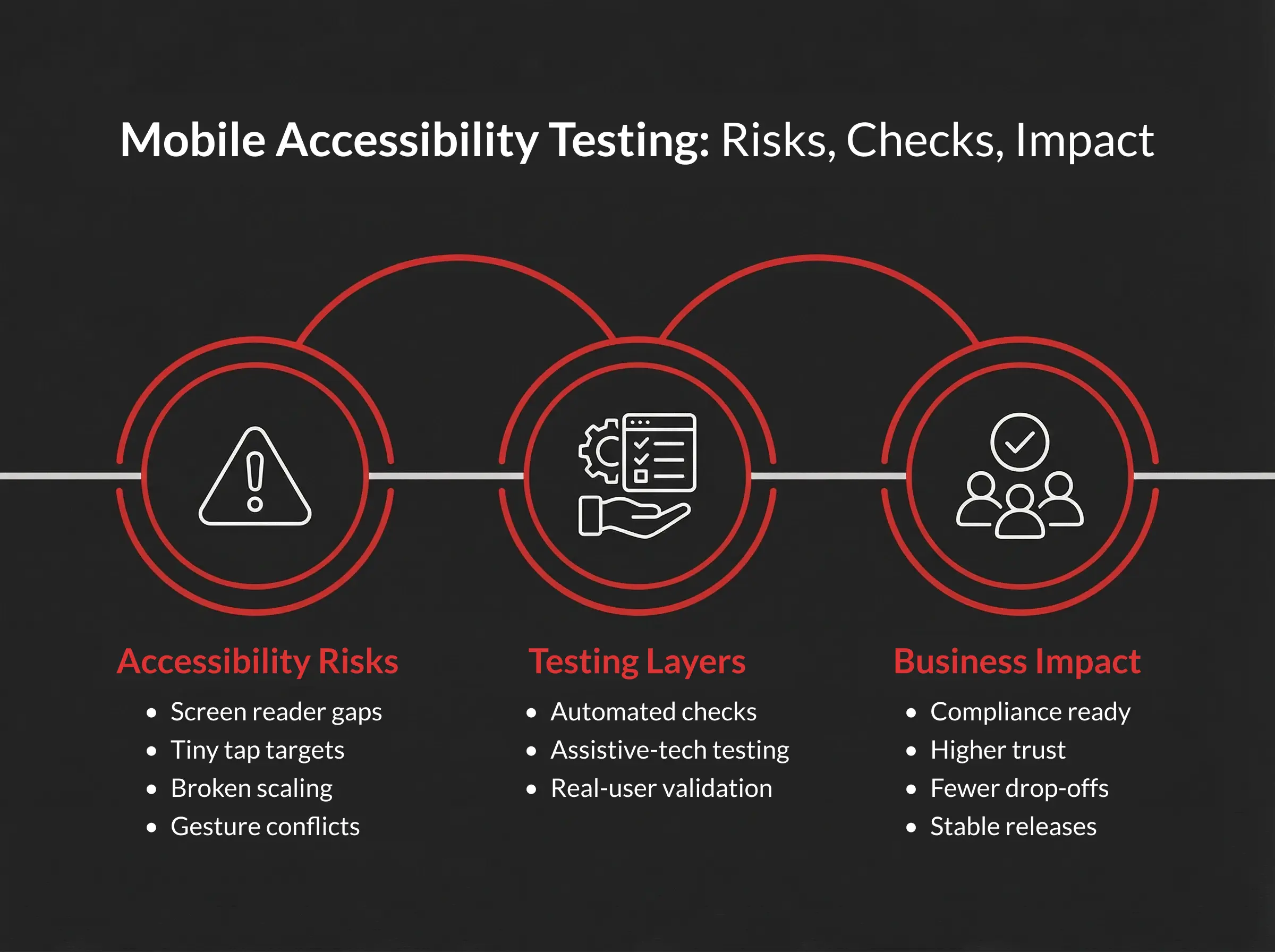
Effective mobile accessibility testing works in three layers. Skip one, and blind spots slip into production, often unnoticed until conversion drops, accessibility complaints appear, or compliance questions surface. Those blind spots show up as churn, support tickets, or stalled enterprise conversations. The W3C’s 2025 WCAG2 Mobile guidance highlights the need to combine automated checks, manual validation, and real-user testing to get reliable accessibility coverage.
Layer 1: Automated Scans
Automated tools help quickly detect structural accessibility gaps in mobile apps, especially when integrated early into development pipelines or regression testing.
Typical issues automation surfaces:
- Missing accessibility labels or semantic roles
- Insufficient color contrast
- Tap targets below the recommended size
- Basic screen-reader compatibility errors
Many teams strengthen this stage by combining automation with AI-based software testing to continuously flag accessibility risks alongside functional defects during releases.
Automation accelerates early detection in mobile accessibility testing, but it cannot replicate real user interaction that requires manual validation.
Layer 2: Manual Assistive-Technology Testing
This is where mobile app accessibility testing becomes practical rather than theoretical.
Run key flows using assistive technologies:
- VoiceOver (iOS) or TalkBack (Android) navigation
- Font scaling and dynamic text adjustments
- Dark mode and contrast settings
- External keyboard or voice-control navigation
Manual validation often becomes part of broader mobile application testing services because accessibility issues intersect with usability, performance, and device compatibility.
This stage typically reveals:
- Illogical focus order
- Gesture conflicts with accessibility settings
- Silent dynamic updates
- Custom UI components that lack accessibility states
During QAwerk’s accessibility audit of the Eurovision apps, our manual testing with VoiceOver and TalkBack revealed several high-priority defects, including font scaling bugs, scrolling interruptions, audio inconsistencies, and unlabeled content.
Layer 3: Real-User Validation
Real users relying on assistive tech uncover gaps that internal QA rarely anticipates.
They focus especially on:
- Onboarding flows
- Checkout or payment journeys
- Authentication or form-heavy screens
Even short validation sessions often highlight:
- Navigation friction
- Cognitive load barriers
- Screen reader interpretation issues
- Device-specific behavior differences
Organizations preparing for compliance audits or product launches usually complement internal QA with structured accessibility testing services to align findings with WCAG requirements and evolving accessibility regulations.
Mobile App Accessibility Checklist
This section works as a practical mobile app accessibility checklist rather than a theoretical overview. Issues are typically prioritized by user impact and risk exposure — the same approach is used in real accessibility audits.
Release-Critical Accessibility Failures
These issues directly affect usability and often trigger compliance exposure during a mobile app accessibility audit.
Screen Reader & Focus Integrity
Screen reader compatibility and logical focus behavior determine whether users relying on assistive technology can navigate the app at all. Even visually polished interfaces fail accessibility testing if semantic roles, focus handling, or accessibility tree exposure break.
What to verify:
- Every interactive element exposes a label, role, and state
- Swipe navigation follows logical reading order
- Modals trap focus correctly
- Closing dialogs returns focus to the trigger
- Hidden elements never receive focus
In our practice, during accessibility testing of Elsewhen’s redesigned platform, missing alt text and semantic markup issues prevented screen readers from correctly interpreting core content. Issues like this are rarely complex, but they are easy to miss without structured mobile accessibility testing baked into the release process.
Touch, Gesture & Target Accessibility
Mobile accessibility often breaks at the interaction level. Small tap targets, dense layouts, or gesture-only controls create barriers even when the visual design looks clean.
What to verify:
- Minimum 44×44 pt (iOS) / 48×48 dp (Android) targets
- Adequate spacing (~8dp) between interactive elements
- Single-touch alternatives for multipoint gestures
- Critical actions don’t rely solely on gestures
This is one of the most frequent findings during mobile accessibility testing.
Visual Accessibility & Scaling
Contrast, font scaling, and orientation flexibility directly affect readability, especially in real-world mobile use cases, such as outdoor lighting or system accessibility settings.
What to verify:
- 4.5:1 contrast for standard text, 3:1 for large text/UI elements
- Dark mode doesn’t introduce contrast regressions
- Font scaling (~200%) doesn’t break layouts
- Portrait and landscape orientation remain usable
- No clipped or hidden CTAs
Dark mode accessibility regressions are especially common after UI redesigns.
Forms, Errors & Dynamic Feedback
Forms, validation messages, and dynamic UI states frequently determine whether users can complete critical actions such as sign-up or checkout. Accessibility failures here typically surface as silent validation issues or missing programmatic announcements rather than visual defects.
What to verify:
- Visible labels instead of placeholders only
- Validation feedback is programmatically exposed to assistive technologies
- Errors identify both the field and the issue
- Session timeout warnings allow extension
- Empty or loading states are announced clearly
Silent form failures are a common cause of abandonment in accessibility for mobile apps.
High-Impact Usability Risks
Once core blockers are addressed, usability-level accessibility risks often surface during full user-flow testing. These rarely trigger legal exposure but strongly affect engagement and retention.
What to verify:
- No text truncation at maximum font size
- Consistent navigation structure across screens
- Stable layouts without unexpected shifts
- Clear feedback for empty or loading states
These frequently appear during accessibility testing for mobile apps once full user flows are tested.
Fixing these usability-level risks is worth doing on its own terms too, not only for the accessibility win. For the broader method (moderated sessions, unmoderated remote testing, guerrilla testing, first-launch studies, and how many participants you actually need), see QAwerk’s mobile app usability testing guide.
Advanced & Hardening Checks
These checks reflect accessibility maturity rather than baseline compliance. They typically become part of release hardening or enterprise accessibility standards for mobile apps.
What to verify:
- Voice Control / Voice Access compatibility
- Accessibility settings like Bold Text, Reduce Motion, or Increased Contrast
- Hybrid/WebView focus consistency
- External keyboard navigation support
- Optional assistive technologies such as Braille displays
Strong accessibility standards for mobile apps typically include these checks before major releases.
Where Teams Usually Fail
Most accessibility problems start with shortcuts in delivery. Accessibility is treated as a checkbox rather than a product-quality signal, and that’s when issues quietly accumulate.
Automation Without Context
Automated scans help catch obvious issues fast, like missing labels, contrast violations, and undersized tap targets. Useful, yes, but not really sufficient. What automation misses are behavioral problems: unpredictable focus jumping, gesture conflicts, and silent UI updates. They usually experience breakdowns.
That’s why structured mobile accessibility testing should combine automation with manual validation. AI can accelerate detection, but usability context still requires human validation, because even the best AI testing tools focus on pattern detection rather than real interaction behavior.
Automation provides coverage. Human validation prevents the expensive surprises automation can’t see.
Testing on One Device
Accessibility behavior varies across devices more than many teams expect. VoiceOver changes between iOS versions. TalkBack behaves differently on Samsung versus Pixel devices. Screen size alone can alter the flow of focus.
Testing on one device creates an illusion of readiness — similar to validating compatibility on a single browser. If your team already follows a structured mobile app testing checklist, accessibility should be embedded into that same device coverage matrix rather than tested separately.
Accessibility Added Too Late
When accessibility enters only at the QA stage, remediation becomes expensive. Layout shifts. Component refactoring. Gesture redesign under deadline pressure. Embedding mobile accessibility guidelines during design and development prevents these late-stage rewrites. That’s why mature teams treat accessibility as a design input, not a QA checkpoint. It keeps release timelines predictable.
For teams operating in the EU market, this is also a regulatory reality under the European Accessibility Act, which directly impacts digital products, including mobile apps.
Overlooked Regression Checks
Accessibility rarely fails loudly. It regresses quietly. A design refresh removes labels. A framework update shifts focus order. A color token update breaks contrast. Without recurring validation, previously fixed issues return.
Teams that already perform structured reviews like a web accessibility audit often extend the same regression discipline to mobile, especially when maintaining alignment with WCAG mobile expectations.
Ownership Gaps
Accessibility often lives between design, development, and QA. Shared responsibility sounds collaborative until no one owns delivery.
Clear ownership improves consistency, particularly for companies moving toward stronger ADA compliance mobile app readiness. Accessibility becomes sustainable when it’s assigned, measured, and reviewed.
Keeping Accessibility From Regressing
Accessibility in mobile apps fails because it isn’t embedded into delivery mechanics. Sustainable mobile app accessibility testing requires structural integration.
- Embed in SDLC Workflows. Accessibility acceptance criteria belong in tickets. “Screen reader completes checkout without friction” is a measurable definition of done. Treat it like performance thresholds or security acceptance.
- Set Release Gates. No deployment moves forward until critical blockers in the mobile app accessibility checklist are resolved. Accessibility sits next to crash rate, unit tests, and performance KPIs.
- Automate What’s Automatable. CI pipelines can continuously validate labels, contrast, and target size using structured mobile accessibility testing tools. Automation won’t replace manual validation, but it prevents common regressions before they reach staging.
- Schedule Structured Manual Validation. Quarterly reviews using assistive tech help maintain alignment with WCAG for mobile apps and evolving regulatory expectations, such as ADA compliance for mobile apps. Teams that skip this often discover regressions only after customer complaints.
- Maintain Traceable Documentation. A living accessibility statement, updated VPAT/ACR, and documented remediation timelines reduce procurement friction. When enterprise clients request evidence of accessibility in mobile apps, documentation builds trust rather than triggering reactive audits.
UI updates often improve visuals but unintentionally break accessibility. Without ongoing checks, regressions slip into production. Treat accessibility as a release criterion, and it stops being a risk and starts becoming a competitive advantage.
FAQ
How can I test my mobile app for accessibility?
Start with automated scanning tools such as Accessibility Scanner (Android) and Xcode Accessibility Inspector (iOS) to identify structural issues. Then manually validate critical flows with VoiceOver and TalkBack enabled. Check contrast ratios, tap target sizing, and layout behavior under maximum font scaling.
For reliable mobile accessibility testing, combine:
- automated checks for repeatable validation
- manual assistive-technology testing
- real-user validation sessions
This layered approach reflects how professional mobile app accessibility testing services assess production readiness.
Does WCAG apply to mobile apps?
Yes. WCAG serves as the primary reference for WCAG mobile compliance globally. It underpins the European Accessibility Act through EN 301 549, informs ADA case law in the U.S., and shapes accessibility requirements in procurement standards like Section 508.
Since 2025, W3C guidance on WCAG application to native apps has clarified expectations for WCAG for mobile apps, confirming that accessibility requirements extend beyond websites.
How often should mobile accessibility testing be performed?
Automated checks typically run on every build. Manual validation should occur before releases involving UI or interaction changes. A comprehensive mobile accessibility testing checklist review is usually scheduled quarterly or after major redesigns.
Consistent validation helps maintain stable mobile app ADA compliance and prevents regressions from accumulating unnoticed.
What devices should be used for mobile accessibility testing?
A baseline setup includes:
- one current iPhone running the latest iOS
- one Android flagship device (Samsung or Pixel)
- an additional Android device from a different manufacturer
Differences in TalkBack implementation, gesture handling, and system accessibility APIs affect accessibility for apps across devices. If analytics show significant legacy OS usage, include at least one older device in your test pool.
See how we helped Elsewhen, a product partner to Google and Mastercard, eliminate accessibility gaps & compliance issues