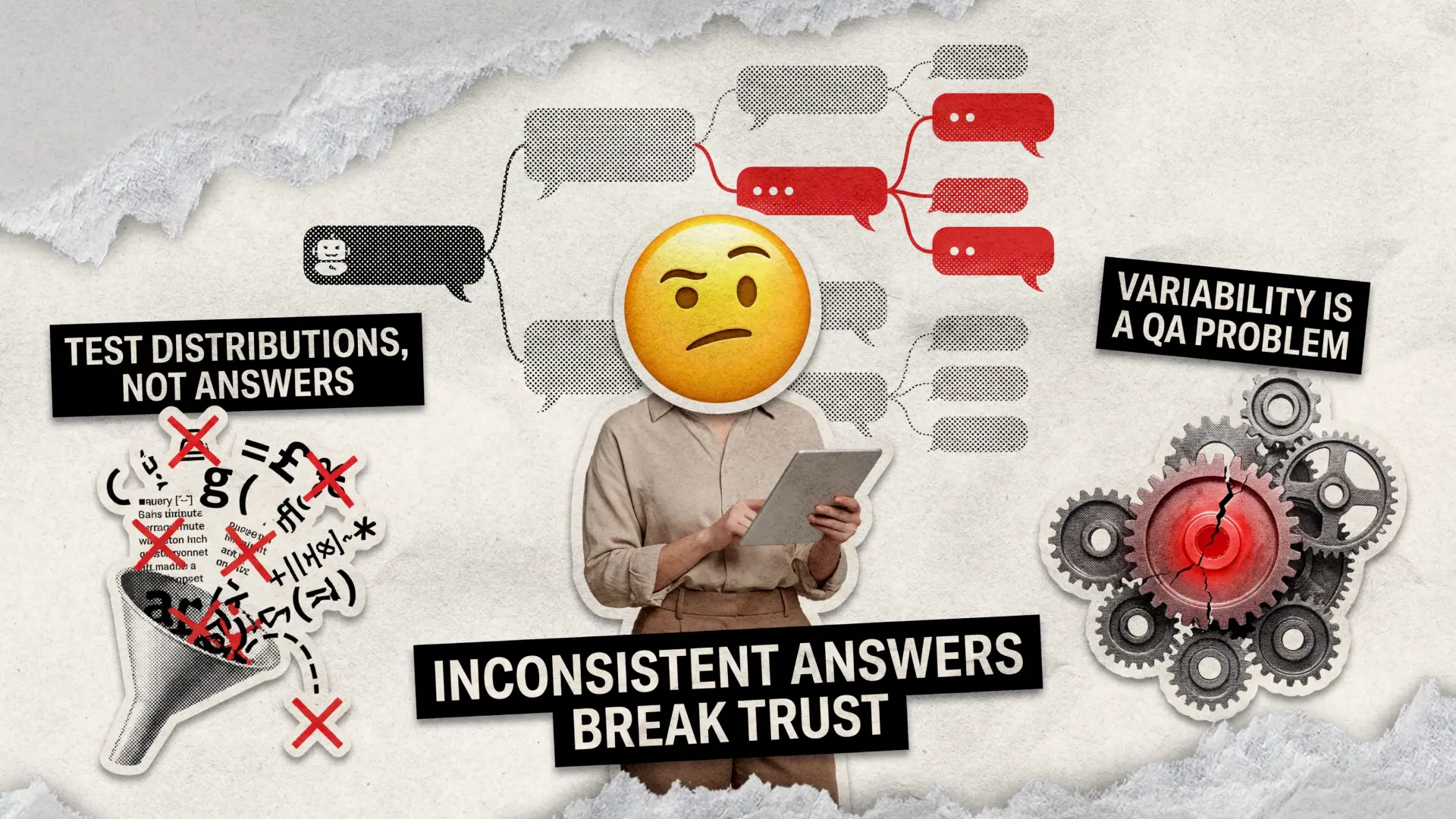
If your QA chatbot gives three different answers to the same question, users stop trusting it long before your funnel report catches up. That inconsistency is not a “quirk of generative AI,” it is a quality issue you can and should test. Recent research in healthcare chatbots shows that models can score “good to excellent” on answer quality, yet still vary in accuracy and readability across prompts and sessions, which directly impacts user trust.
We’ll walk through how we approach AI chatbot testing when the same question produces different replies, how we measure answer quality at scale, and where classic chatbot performance testing and chatbot security testing meet the new world of LLM hallucinations and context drift. This is the exact mindset we used on the Sitch AI matchmaking app to keep answers helpful and safe while usage scaled across the country.
Why Chatbots Give Different Answers
There are good reasons and bad reasons for variability. The trick in chatbot quality assurance is to separate “healthy creativity” from “random nonsense.” Peer‑reviewed work on modern models shows that answer quality depends not only on the model, but also on prompt wording, context length, and domain complexity.
When we investigate inconsistent responses during testing AI chatbots, we usually see a mix of these factors:
- Stochastic Generation. Temperature, top‑p, and other sampling settings tell the model how much it can improvise. Turn them up, and your QA chatbot will sound more human, but also more unpredictable.
- Context Window Issues. Long chats push earlier facts out of the window. The bot literally forgets what it said and starts reinventing the answer. This is one of the common failure modes highlighted in recent LLM evaluation research.
- Ambiguous or Under‑Specified Questions. “Can I cancel?” without context can refer to a subscription, a delivery, a date, or a flight. In UX studies on AI chat software, vague prompts correlate with lower user satisfaction and inconsistent task completion.
- Drift Between Sessions. Two users ask the same thing on different days, but the model relies on time‑sensitive data or volatile tools. Benchmarks like ConsistencyAI show that factual overlap between answers can drop on topics such as job markets or conflicts, even when both answers look reasonable.
In short, a modern QA chatbot will never be a deterministic rules engine, but you can design an AI chatbot testing framework that keeps the randomness inside acceptable business boundaries.
Our View of “Good” Answer Quality
Before we talk about AI chatbot testing methods, we need a shared definition of “good answer.” Otherwise, your team will argue forever about whether the bot “sounds smart enough.” Recent academic work evaluates chatbots with combined quality, accuracy, and readability scores, rather than a single metric, and that approach works well in production too.
For us, AI chatbot response quality assessment always covers four dimensions:
- Factual Accuracy. Is the information correct for this user in this context? Medical and finance studies show that even when overall chatbot quality is “good,” small portions of incorrect advice can have a disproportionate impact on user safety.
- Consistency. Does the bot tell different users different “facts” when nothing relevant has changed? Dedicated consistency benchmarks now measure how often identical questions get conflicting statements.
- Readability and Tone. Is the reply easy to scan, in the right tone for your brand, and appropriate for the channel? Multiple 2025 studies report that even high‑quality answers often fail basic readability guidelines.
- Task Success. Did the conversation actually resolve the user’s intent? Industry guides recommend tracking containment rate, first contact resolution, and task completion rather than just satisfaction scores.
That mix lets us design chatbot testing solutions that go beyond “this answer sounds okay” and tie quality directly to business outcomes, such as reduced escalations or increased self‑service.
The Three‑Layer Framework We Use for AI Chatbot Testing
When we step into AI chatbot testing for a product that already confuses users with different replies, we do not start with a vague “chatbot testing checklist.” We build a layered AI chatbot testing framework that reflects how your bot actually interacts with real people.
Here is the high‑level structure we rely on again and again:
- Static Evaluation of the Model. We test the underlying model on curated question sets to understand baseline accuracy, bias, and factual drift. Public benchmarks and custom suites help us spot systemic weaknesses before we touch your UX.
- Conversation‑Level Tests. We simulate real multi‑turn conversations with varied phrasings, user personas, and noise (typos, partial sentences) to see how answers change over time.
- End‑to‑End Product Tests. We test the entire stack, from trigger phrase and channel integration to data sources, rate limits, and escalation flows, combining classic chatbot performance testing with modern AI‑specific checks.
This structure also helps you decide where to focus AI chatbot testing automation and where human judgment alone is sufficient. We usually automate wide coverage on layers one and three, while keeping humans in the loop for nuanced chatbot quality assurance on live‑like conversations.
Example: Where Sitch Forced us to Care about Answer Consistency
In the Sitch AI matchmaking app, the conversational agent helped users decide whether a match was worth pursuing, based on profiles and behavior signals. That meant a wrong or inconsistent suggestion could literally change someone’s dating life, not just their billing plan.
During testing a chatbot in this setup, we saw the same user scenario produce both “go for it” and “probably not a fit” depending on small changes in wording and timing. We solved that by tightening decision criteria, freezing critical prompts, and adding a guardrail layer that compared the current answer with past answers for the same profile before sending anything to the user.
Measuring Chatbot Response Quality at Scale
Once you fix the worst inconsistencies, you still need to measure AI chatbot response quality at scale to avoid regressions. Pretty dashboards with a single satisfaction score will not catch subtle answer drift. Industry guides now treat chatbot analytics as a mix of technical, operational, and business metrics.
We usually build a scoreboard with three metric families:
Technical
Accuracy rate, NLU intent match rate, answer latency (avg and 95th percentile)
Confirms that the model understands the question and responds fast enough to feel “confident,” which supports studies linked to higher user trust.
Conversation
Containment rate, first contact resolution, conversation length, handoff rate
Helps catch topics where the bot keeps changing its mind or looping without closure.
Consistency
Factual overlap across sessions, variation score for standard prompts, and contradiction rate
Inspired by consistency benchmarks that measure how often identical questions produce different factual statements.
A concrete example. Modern chatbot KPI guides treat containment rates above 65 percent and accuracy above 80 percent as strong signals that your assistant is pulling its weight. When we run experiments to improve answer consistency, we expect those numbers to move together, not trade off against each other. If containment rises while user satisfaction declines, your bot might be confidently wrong more often.
Our Six‑Step Playbook for QAing “Different Answers to the Same Question”
This is where all the theory turns into actionable chatbot testing best practices. Think of it as a compact, battle‑tested process you can plug into your current QA workflow.
1. Freeze the Questions that Matter
Before you write a single test script, list the 50 to 200 questions that matter most for your product. Studies on AI search and chat UX show that a small set of intents drives the majority of traffic and complaints.
We built this “high‑stakes questions” set from:
- Top search queries from your help center and site search.
- Most common intents in your current bot logs.
- Questions where a wrong answer creates a financial, legal, or safety risk.
Those become your core sample questions for testing your AI chatbot, which you will keep re‑using across releases. Treat them like your regression suite for language.
2. Design Controlled Variability Tests
Once you know your bot gives different answers, you do not need random exploration. You need controlled experiments. Research on measuring AI chatbot response quality at scale suggests generating multiple answer samples per question to understand variability.
For each high‑stakes question, we:
- Run the exact same question multiple times in a clean session and collect every answer.
- Vary only one thing at a time: temperature, wording, user persona, or time of day.
- Label each answer for accuracy, helpfulness, and tone, then compute a simple consistency score.
If a question scores well on accuracy but poorly on consistency, we push it into a special work queue for prompt and system‑message hardening.
3. Add Human Review Where It Counts
Automated scoring is great for speed, but it still struggles with nuance. Healthcare and education studies repeatedly show that domain experts catch subtle inaccuracies that generic evaluators miss.
So we reserve human effort for:
- Answers that touch on money, health, legal, or sensitive topics.
- Conversations where the model expresses uncertainty, refuses to answer, or contradicts itself.
- Edge cases and adversarial prompts, drawn from real user logs and bug reports.
This is where Sitch benefited most. Instead of trying to auto‑score “relationship advice,” we brought domain experts into the loop to flag answers that were technically valid but emotionally off-target, which improved long‑term retention.
4. Automate for Coverage with an AI‑Aware Framework
Once you know what to test, AI chatbot testing automation keeps your quality stable across releases. Vendors now ship dedicated frameworks for scripted chatbot tests that cover NLU, intent routing, and even full transcripts.
We usually implement automation for:
- Replaying full conversation transcripts to catch regressions after model or prompt updates.
- Load scenarios for chatbot performance testing, checking that latency and error rates stay within your agreed SLOs under realistic traffic.
- Repeated simulation of your core sample questions, logging answer variations over time.
If you need help turning those ideas into a working pipeline, our AI agent testing service covers everything from test design to CI integration.
5. Stress‑Test Safety and Security
As soon as your assistant touches private data or sensitive systems, chatbot penetration testing and chatbot security testing stop being “nice-to-haves.” Attackers can use prompt injection, prompt leaking, or jailbreaking to force the bot to reveal confidential information or execute unintended actions.
We layer security‑focused tests on top of functional QA:
- Red‑team prompts that try to bypass safety rules, exfiltrate secrets, or escalate privileges.
- Tests for prompt injection via files, external links, or user‑generated content.
- Classic penetration testing on the surrounding APIs and infrastructure.
If your chatbot operates in a regulated environment or handles sensitive data, our penetration testing services help close those gaps before attackers find them.
6. Close the Loop with Live Data
Nothing reveals answer inconsistency faster than real users. That is why modern chatbot testing services treat production as another test environment, with guardrails in place.
We recommend:
- Logging all low‑confidence or escalated conversations and sampling them for weekly review.
- Tracking a small, rotating set of canonical questions in your analytics tool and watching both accuracy and variance over time.
- Feeding anonymized logs back into your AI chatbot testing framework to evolve your sample questions and adversarial prompts.
This “continuous QA” mindset is what keeps your bot from slowly drifting into weirdness six months after launch.
Manual vs Automated Testing for AI Chatbots
You already know that automation is cheaper at scale, but AI chatbot testing behaves differently from UI regression testing. Content, tone, and safety often need human eyes. That is why we rarely recommend choosing between manual and automated chatbot testing methods.
Instead, we split work like this:
- Use manual testing for UX, subjective tone, surprising failure cases, and early exploration.
- Use automation to assess regression, performance, and the quality of repetitive AI chatbot responses on your fixed question sets.
- Use AI‑assisted tools to generate variations of prompts, synthesize user personas, and summarize review findings for the team.
This hybrid approach aligns with the latest guidance on AI agent testing, which calls for combining human judgment with automated scale to achieve reliable evaluation.
What Changes When You Test AI vs Rule‑Based Bots
If you have experience with old‑school decision‑tree bots, some habits no longer work. In classic bots, “different answers to the same question” usually meant a broken rule. In AI‑driven bots, it is often a side effect of model design.
Two changes matter most for testing AI chatbots today:
- You test distributions, not single answers. Instead of checking that “the answer equals X,” you care that “most answers fall inside this safe, accurate range.” Evaluation research now explicitly measures spread and variance, not just point accuracy.
- You treat prompts and policies as code. System prompts, safety rules, and tools become first‑class citizens in your test plan. Every change goes through the same chatbot testing framework as a code change would.
If your team is used to Selenium‑style UI tests, that shift feels odd at first. It pays off each time you update the model or retrain embeddings, and your key metrics stay stable.
Final Words
You don’t need a new department to fix inconsistent chatbot answers, just a structured way to use what you already have. Start with the questions that matter most, measure how your bot answers them today, and decide what “good” looks like in terms of accuracy, consistency, readability, and task success.
From there, tighten prompts and system messages, tune model settings, and add guardrails for risky topics, while using automation to rerun your key scenarios after every change. Keep an eye on metrics such as containment, first-contact resolution, and factual overlap to spot quality drift before complaints.
If you treat AI chatbot testing as an ongoing loop rather than a one‑off project, you can steadily improve chatbot response quality without breaking your roadmap. Let’s turn your chatbot’s guesswork into a reliable system. Contact us to get started.
FAQ
Why does a chatbot give different answers?
Modern testing of AI chatbots shows that variability comes mainly from stochastic generation settings, context window limits, ambiguous prompts, and real‑time data dependencies. Inconsistencies increase on complex or controversial topics where even humans disagree, which recent LLM consistency benchmarks clearly document.
How is quality measured in chatbots?
Most serious AI chatbot testing methods use a mix of accuracy, readability, and user‑centric KPIs such as containment rate, first contact resolution, and task completion, rather than a single score. Newer research also introduces explicit consistency metrics that measure how often identical questions receive conflicting facts, which is vital for assessing the quality of AI chatbot responses.
How to improve response quality on your chatbot?
Start by defining a stable set of sample questions for testing an AI chatbot on high‑impact topics and measuring how answers vary across runs. Then adjust prompts, tighten system instructions, tune model settings, and introduce human review for risky scenarios, while using automation to retest at scale after each change as part of structured chatbot testing solutions.
See how we helped Sitch stabilize their
AI matchmaking app and scale to new cities while growing the active user base