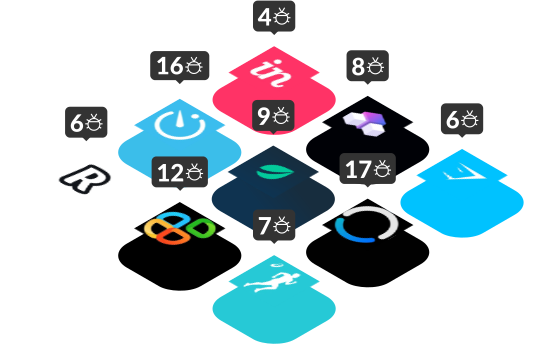
In September, our testers logged 38 bugs across six live products, and none caused a crash. Each was a quieter failure, like a meeting recording with a silent gap or a long description that refuses to save. Software bugs examples of this kind slip past a quick check of the main features, because the trouble only starts when something unusual happens, such as an incoming call or a removed user.
Every product below went through a bug crawl, where one of our engineers uses the app the way a new customer would and records everything that breaks. Manual testing like this finds what automated checks miss, because a script only follows the path somebody wrote in advance.
Apps covered in this digest:
- Workdeck (SaaS)
- Truck Simulator: World (iOS)
- Bluedot AI Note Taker (Android)
- Laxis (web)
- Venue: Relaxing Design Game (iOS)
- AI Chatbot & Keyboard: Sage AI (iOS)
Earlier reports are in the Bug Crawl archive.
A Deleted Workdeck User Got an Error Instead of the Login Screen
- App: Workdeck (SaaS)
- Severity: Critical
- Type: Account access and error messages
Workdeck’s most serious bug took two accounts to find. Logged in as the admin, our tester removed a teammate who still had an active session. Any click from the deleted account then brought up “Error! Unexpected error”, when Workdeck should have signed that person out and shown the login page.

Several other bugs sat in the forms Workdeck uses for team projects and settings. Ticking the Timesheet box produced a raw technical notice that began “Invalid value ‘true’ supplied to”. Submitting an expense policy without a name sent the request twice and stacked two identical “Error! Invalid request” messages, neither of which mentioned the empty Policy Name field.
What to check on your side: Delete an account or cut a user’s permissions while that person is still working, since the session should end the moment the access does. Afterwards, trigger every error your backend can return and read what reaches the screen. A raw validation dump or a doubled message means the interface is passing server responses straight to the user, untranslated.
How this gets caught: Web application testing that signs in as every role your product supports, including someone whose access disappeared a minute ago.
Truck Simulator: World Played Music Through the Silent Switch
- App: Truck Simulator: World (iOS)
- Severity: Major
- Type: Device settings and account flows
Our tester started a driving session in Truck Simulator: World, then switched the iPhone 12 to Silent mode. The game music kept playing. Anyone who silences a phone on a train or in a meeting expects every app to go quiet at once.
The game’s Photo mode fared no better, since tapping Capture or Share just made the screen flicker without saving a picture or opening the sharing menu.
In the settings, a player who had never signed in could still open the Account Deletion option, although no profile existed to remove. Apple and Google both check that flow closely, as our breakdown of app account deletion requirements explains.
What to check on your side: Treat the phone itself as part of the product. The Silent switch, the photo library and the system share menu all sit outside your code, yet players blame the game when any of those pieces misbehaves. Next, open the app as a guest and confirm that account deletion and other member-only options stay hidden until sign-in.
How this gets caught: Game testing on physical iPhones, where testers press the hardware buttons a player reaches for without thinking.
Bluedot Recorded Silence During a Phone Call
- App: Bluedot AI Note Taker (Android)
- Severity: Major
- Type: Interruptions and transcription
Our tester started a Bluedot recording on a Samsung Galaxy A35, then answered an incoming call and stayed on the line for about 25 seconds. The timer kept counting the whole time, so nothing on screen hinted at trouble. Playback, however, revealed a silent gap where the conversation should have been. The app had given no warning that the microphone stopped picking up sound.

Of all the software failure examples this month, the silent gap does the most damage. Users only discover the missing audio when they go back to that part of the recording. We saw the same failure in last month’s digest, where January: AI Health Tracker kept counting through an alarm and lost every word spoken over the noise. Two products in two months suggests interruptions are a blind spot for recording apps.
The transcripts had problems too, since Bluedot attributed every line to the first speaker, including what another person said. Even the email that comes with a shared file got the length wrong, listing a 16-second recording as 1 minute long.
What to check on your side: Tie every progress indicator to the audio actually captured, because a timer that counts through a dropped microphone tells users everything is fine. Taking a call mid-recording is the quickest way to test that link. Then test with two voices and compare everything the product reports, from speaker labels to the duration in a shared email, with what really happened.
How this gets caught: Mobile application testing on real Android phones and iPhones, where an incoming call can actually interrupt the recording.
Laxis Let Users Type 1,024 Characters but Only Saved 500
- App: Laxis (web)
- Severity: Major
- Type: Input validation and meeting controls
Our tester filled the Description box on a new Laxis AI template until the field stopped accepting text at 1,024 characters. Pressing Save then brought up an error saying the limit was 500. The meeting assistant had set two different limits for the same box, so the user only found out after typing twice as much as the app would keep.
Folder naming had a different validation problem: entries that were too short or too long both triggered “Folder creation failed” with no hint about what to change. Catching an unhelpful message like this is the job of negative testing, which feeds an app bad input on purpose and checks the response.
Recording controls failed too: pressing Pause didn’t stop the capture, and a silent meeting of 10 to 20 seconds stayed stuck on “Processing” for days.
What to check on your side: Write down the limits your interface shows and the limits your server enforces, then hunt for any gap between the two lists. Every mismatch means a user does the work first and hits the error afterwards. Put the recording controls through the same scrutiny with cases nobody plans for, like pausing mid-capture or saving a meeting with no speech.
How this gets caught: Functional testing that pushes every form with blank values, oversized text and other entries a real user might try.
Venue Blamed Its Server When the Phone Was Offline
- App: Venue: Relaxing Design Game (iOS)
- Severity: Major
- Type: Connectivity and account flows
Our tester switched on Airplane Mode, then tried an action in Venue that needs the internet. The interior design game showed a server error and said nothing about the missing connection. A player can’t do anything about a fault on the company’s side, but turning Wi-Fi back on takes seconds. The misleading message hides the only step that would help.
Venue also shared the guest account bug from Truck Simulator: World, and went one step further. A player who had never registered could get all the way through deletion, with no explanation of what local data would be erased. On the design screens, meanwhile, some fabric previews failed to load and showed up blank.
What to check on your side: Give every failure your app can hit its own message, from a dropped connection to a missing image, because a single catch-all error sends users chasing the wrong fix. Apply the same care to destructive steps, so that before a guest deletes anything, the screen spells out exactly what will disappear.
How this gets caught: Usability testing that cuts the connection mid-task on real phones and checks whether each message helps a player recover.
What These Software Bugs Examples Add to Your Test Plan
Each line below traces back to a bug from this month, and together the list covers the software bug types we meet most often.
- Every error message: The text should name the real cause, such as a lost connection, an empty field or a deleted account, and tell people what to do next.
- Every limit: The interface and the server should agree on the same number.
- Every progress indicator: A timer or status label should reflect what the app actually captured or processed.
- Every phone event: Switching to Silent mode, an incoming call and a lost signal should each get a proper response from the app.
- Every account state: Test each screen as a guest, a regular user and someone whose access was just removed.
- Every AI conversation: Search results should open the right chat, and follow-up questions should keep the original topic.
Bug of the Month
Our pick is Sage AI, an iPhone assistant with chatbots for tasks such as writing, translation and travel planning. Two bugs broke the product’s most basic promise: what’s on screen should be the conversation you asked for.
First, our tester searched the Chats tab for a keyword, tapped the matching result and landed in a different chat. The second bug came from the Travel Buddy assistant, which answered a question about a trip to Mexico and then lost the thread. When our tester followed up with “what’s the weather there in December?”, the reply covered Thailand and visa requirements.
A search that opens the wrong chat makes people doubt everything else on the screen. An assistant that forgets the topic one message later forces users to start over. Checking how an AI product carries context across a whole conversation is a core part of our AI testing work.
Honorable mention goes to Bluedot’s recording that went silent during a phone call. For a note-taking app, a missing stretch of meeting is the one bug users rarely forgive.
We find bugs like these every month by using products the way customers do. Have us test your app next.
FAQ
What are common software bugs examples?
Common software bugs examples include buttons that do nothing, forms that reject valid input, error messages that point to the wrong cause, and data that saves incorrectly or not at all. Many of the costliest bugs never crash anything. Such bugs survive a routine test pass and only surface when real users run into an interruption, a weak network or an unusual account state.
What are the main software bug types?
The main software bug types are functional, usability, compatibility, performance and security bugs. Functional bugs stop a feature from doing its job, while usability bugs make working screens confusing to use. Compatibility bugs appear only on certain devices, browsers or system settings. Performance bugs show up as slow screens or crashes under load, and security bugs expose data or access that should stay protected.
What is the difference between a bug and a software failure?
A bug is a flaw in the code or design, and a failure is what a user experiences once that mistake gets triggered. Typical software failure examples include a checkout page that won’t load, a document that disappears after saving and an invoice with the wrong total. One bug can cause many failures, or none at all if nobody ever takes the exact steps that trigger the problem.
Want a bug crawl on your app?
We'll put one of our QA engineers on it and send you a detailed reproducible report with video evidence.