In-app purchase testing has a blind spot, and it sits just past the payment. Once the money moves, the job looks done, so the exchange it was meant to buy goes unchecked.
We’ve seen an example of this in Idle Cash – Merge Tycoon. The app offers a clear trade: watch the ad, get the skin, yet we found both directions broken in one crawl. Our tester sat through a full ad and got gems, with the promised item arriving 10 to 15 minutes late. On a second run, they skipped the ad and still spun the wheel again and again, collecting unearned rewards.
Neither case reported the failure, so the cost shows up in what people do next. A crash at least tells someone the attempt failed, so they know to try again later. However, getting nothing back leaves them guessing, and they’ll retry, assume a charge landed, or walk away.
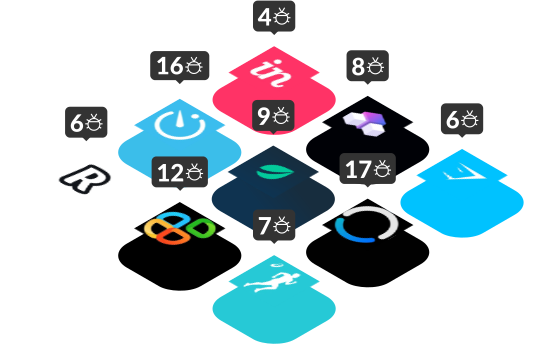
Catching these failures before your players do is what our game testing work is for. Today we report the findings of the QAwerk Bug Crawl team as it tested nine products and logged 55 bugs. Four were iOS games, one was an Android app, and the rest were web tools. The same pattern turned up in many of them.
Most of those failures sit on one of four exchanges between a product and its user. Money should buy an entitlement, premium currency a benefit, an ad impression a reward, and a restore request the return of access. These crawls broke three of the four outright, and the last failed before a payment could even start. The same shape then turns up where no money moves at all, in permissions and in status reporting.
Apps covered in this digest:
- Hay Day (iOS)
- Fathom AI (SaaS)
- Chefadora: Recipes & AI Chef (Android)
- Slite (SaaS)
- Idle Golf Club Manager Tycoon (iOS)
- Read AI (SaaS)
- Idle Cash – Merge Tycoon (iOS)
- Clear Age (iOS)
- Bluedot (SaaS)
Premium Currency That Buys Nothing
- Apps: Hay Day, Idle Golf Club Manager Tycoon (both iOS)
- Severity: Critical to Major
- Type: Monetization and premium currency
Hay Day is Supercell’s farming simulation, carrying a 4.7 score from 642,000 ratings and more than 700,000 downloads. It sells one of the most familiar trades in mobile gaming: pay premium currency, finish sooner.
Our tester started producing a meal and waited for the timer to appear. They had enough premium currency in hand, then tapped Speed Up. Nothing happened.
The timer didn’t drop and production didn’t accelerate. As a result, a player is left tapping a button the game presented as working. Whether the currency was spent on nothing or never moved, there’s no way to tell. Closing that question comes first, because it separates a dead button from a silent charge.
Meanwhile, Idle Golf Club Manager Tycoon produced the same shape of failure on a reward counter. Its Reward screen showed spins as available while the Spin button sat inactive. The game also disagreed with itself about the count, offering four in one place and 0/5 used in another. Neither figure explains the other, so players end up guessing.
Still, the real problem isn’t the blocked action but what a user concludes from it. A counter claiming you own something, wired to a button that won’t spend it, teaches players to second-guess the interface. Once buyers stop believing other balances and timers, your paid extras start looking like a bad bet.
What to check on your side: In-app purchase testing begins with an end-to-end assertion on every currency spend, not a button-state check. Confirm three things at once: the balance dropped correctly, the benefit applied, and the interface shows both. Then run the negative cases: too little currency, a spend interrupted mid-flight, and two rapid taps. Any figure appearing on more than one screen deserves a comparison across all of them in a single session.
How this gets caught: Manual functional testing, by someone who spends the currency and then hunts for what it bought. Automation confirms the button fires, but rarely that production actually sped up. Our guide to game functionality testing covers building coverage around economy and reward flows instead of screens.
Rewarded Ads That Fail in Both Directions
- App: Idle Cash – Merge Tycoon (iOS)
- Severity: Major (two findings)
- Type: Rewarded ads and entitlement
This is the most instructive finding in the set, because one system broke for the player and the publisher alike.
Our tester picked a free skin offered for a rewarded ad, started it, and let it finish. Back on the Skins screen, nothing had unlocked. Gems had arrived instead, alongside a message saying another ad wasn’t available yet. The skin appeared roughly 10 to 15 minutes later, long after the player earned it.
In the second finding, our tester used up the one free spin, then pressed the button again. It was showing an advertisement icon, so an ad should have been mandatory. The wheel turned anyway. Pressing repeatedly produced more spins, with no ad at any point.
Put those together and you’ve got a monetization system that doesn’t know what happened. No root cause appears in the crawl, though both findings point the same way. The ad event, the entitlement grant and the button state don’t agree. One direction delays the player’s reward past the moment they earned it. By contrast, the other hands out spins the ad impression never paid for.
What to check on your side: In-app purchase testing should treat every rewarded exchange as a two-sided contract. Prove both sides fire exactly once. Watch a rewarded video through and confirm the promised item lands immediately, not a substitute and not on a delay. Then attack the reverse by tapping repeatedly, tapping while an ad loads, closing one early, and backgrounding the app. After each attempt, check whether the reward arrived anyway and whether the cooldown survived.
How this gets caught: This is regression testing territory, aimed deliberately at the ad SDK rather than around it. The crawl’s own recommendation covered delayed rewards, repeated taps, interrupted ads, network changes and app backgrounding. That’s precisely the matrix a happy-path plan skips. Ad mediation behaves differently on physical hardware under live network conditions. That calls for mobile application testing on devices rather than simulators.

The Same Restore Purchase Bug in Three Unrelated Games
- Apps: Idle Golf Club Manager Tycoon, Idle Cash – Merge Tycoon, Clear Age (all iOS)
- Severity: Major to Minor
- Type: Purchase restoration
In Bug Crawl Digest #1 we published a coverage checklist. One line highlighted this: “Every IAP flow, including Restore Purchase: show loaders, success states, and errors.” Two digests on, yet we see the same issues in a completely different set of tested products. Three of the four games we crawled shipped a broken restore, a stark reminder of how widespread the problem remains.
Idle Golf Club Manager Tycoon gave back nothing at all. Tapping Restore Purchase produced no confirmation, no loading indicator, no success message and no error. Users can’t tell “restored” from “nothing to restore” from “this button is dead”.
Idle Cash – Merge Tycoon answered, but incoherently. Tapping the same option set the screen flickering. Nothing else is recorded, and what the tester expected was a confirmation, loading indicator or error message.
Clear Age was the mildest of the three and still missed the same requirement. With nothing left to bring back, tapping Restore Purchases gave no confirmation, success or informational message.
That matters more than it sounds. Restore Purchase is where a paying customer lands when something’s already gone wrong: a reinstall, a new device, a lost entitlement. Going quiet here is costly, because whoever taps it has paid you and is trying to prove it. Apple’s own App Store Review Guidelines expect apps to let users recover non-consumable purchases and subscriptions. That makes this a store compliance surface, not only a usability one.
What to check on your side: In-app purchase testing has to treat Restore Purchase as four outcomes rather than one. Cover purchases found and returned, nothing found, a network failure mid-request, and a second consecutive attempt. Each deserves its own visible message, and the control needs a loading state while it works. Run it on a fresh install signed into an account that owns purchases, a scenario a development build never sees.
How this gets caught: A plan that treats purchase restoration as a first-class flow, run by hand on a clean device. Restore paths break quietly and may not surface in analytics at all. The users who hit them are already frustrated, and some will simply leave. Breadth matters here, and App Store compliance testing sits in the same engagement as our game work.
Offline Is a State, Not an Error Message
- Apps: Clear Age, Idle Cash – Merge Tycoon (both iOS)
- Severity: Major to Minor
- Type: Offline handling and store
Clear Age: Clean to Grow Stronger carries a 4.4 score from 158 ratings and more than 20,000 downloads. Its gameplay held up well in our hands, but the store didn’t.
With the device offline, our tester opened the Era Offer section. The purchase button displayed a price of 0 and stayed tappable. Pressing it produced a failed attempt. Zero isn’t a neutral placeholder, because it reads as free on a control the app still invites you to press.
The second finding is the same absence from the other side. Opening any in-game offer while offline left the app loading indefinitely, with nothing saying a connection was needed.
Idle Cash – Merge Tycoon inverted the mistake. On first launch, with the device on a stable network, it showed a “Not connected” error anyway. One product can’t tell you it’s offline when it is, and the other says so when it isn’t.
Put simply, a dropped connection isn’t an error to catch and swallow but a state the interface has to render. When price retrieval fails, you either disable the control or explain why. A screen that can’t load its contents should say so plainly instead of spinning.
What to check on your side: Run every purchase and store surface with the network disabled, then with it dropping mid-request. Confirm the app renders a real state each time, never a placeholder value and never an endless spinner. Any figure arriving from a remote call needs a fallback that clearly isn’t a price. Good in-app purchase testing also covers the reverse, confirming the app doesn’t claim to be offline while connected.
How this gets caught: Usability testing paired with deliberate network manipulation on real hardware. This class of bug is close to invisible in an office with reliable wifi, which is one reason it reaches production. Our overview of game compatibility testing covers building a device and network matrix that exercises these paths on purpose.
The Interface Offers What the Backend Refuses
- Apps: Chefadora: Recipes & AI Chef (Android), Read AI (SaaS)
- Severity: Critical to Major
- Type: Submission failure and permission UX
Chefadora is a recipe platform with an AI assistant, and it produced the largest crawl in this set at 15 bugs. Two of its critical findings are the same bug in two places, and both fit this pattern.
On a recipe page, our tester scrolled to “Tried this recipe? Share your experience”, chose a star rating, and tapped Add Review. With the text field left empty, the submission returned “Request failed with status code 400” and nothing saved.
That failure repeated at the end of the Cook Step-by-Step flow. Work through it, reach the “Enjoy your meal” screen, pick a rating, and the same 400 comes back.
The interface accepted a score with no text, and the backend refused it. Nobody told the user which rule was real, and a raw status code isn’t a validation message.
Read AI showed the same failure in its permissions. A user with Viewer, read-only access to a folder still saw an Edit option, opened it, and made changes. Only Save stopped them, failing with “Failed to update folder. Please try again.” The same product also let us pick read-only sample reports during folder creation, then returned “Failed to update folder reports. Please try again.”
That last one deserves a pause. The action was refused and the message named nothing, so users can’t tell a permission wall from a broken feature. Either way, the interface invited them to spend effort on something that was never going to land. Correctly refusing an action isn’t the same as refusing it in a way somebody can act on.
What to check on your side: Validation rules must match on both sides of the call, so the client blocks what the server would refuse. Any action the current access level forbids belongs hidden or disabled, not presented and then refused. Every error a user sees needs to name the actual problem: which field, which permission, what to change. A bare status code or a generic retry prompt leaves the job half done.
How this gets caught: Negative-path exploratory testing, run by somebody who deliberately submits incomplete forms and uses the product at every permission level. Working as the lowest-privilege user is among the highest-yield habits here, and one of the easiest to skip.
Status Reporting You Can't Rely On
- Apps: Bluedot (SaaS), Slite (SaaS), Fathom AI (SaaS)
- Severity: Major to Minor
- Type: Missing feedback and status
The pattern reaches past money. Across three web tools, the product left people without a straight answer about what it had done.
Bluedot, an AI meeting assistant with a Chrome extension, gave the sharpest example. Its recording timer reset after a pause and resume, eventually reading 00:00 while capture continued. Since it counts down from 60:00, the element reporting remaining time was actively wrong.
The same product also handled uploads without a word. Adding a workspace logo through Settings and General produced no sign the transfer had begun. No progress indicator appeared, and an invalid file drew no validation error.
We triggered a manual sync from Slite’s Agent Sources page, and “Last synced” stayed untouched until somebody refreshed by hand. Whether the job itself completed stays invisible to the user. The old timestamp simply persisted, so anyone checking their sources got a stale answer.
Fathom AI reached the same place by another route. Its API key Name field has no maximum length validation, so an overlong entry returns “Failed to generate API client”. The user learns the operation failed and gets no path to making it work.
None of these takes anybody’s money, and the damage is real anyway. As a result, users can’t tell whether the product did what they asked. That uncertainty is what generates support tickets, duplicate actions and abandoned workflows.
What to check on your side: Anything crossing the network needs three visible states, in flight, succeeded and failed. Give every file transfer a progress signal and a rejection message. Any value representing freshness must update from the action itself rather than from a page load. That covers last-synced times, running clocks and status badges.
How this gets caught: Web application testing done by a person rather than a suite, because somebody has to notice an absence. Noticing what isn’t there is harder than catching a crash, and it never shows up in a stack trace. In Bug Crawl Digest #2 we flagged a ten-second freeze with no feedback for the same reason, since silence reads as breakage.
In-App Purchase Testing Checklist Based on These Crawls
Take a screenshot of this and share it with your team.
- Every currency spend: confirm the balance changed, the benefit applied, and the interface shows both. A responsive button proves none of it.
- Every rewarded ad: verify the promised item lands the moment playback ends. Then confirm nobody can get it without watching one.
- Every Restore Purchase: test purchases found, nothing to restore, a network failure, and a second attempt. Each needs its own message.
- Every remote price: define a fallback nobody could mistake for a real figure. Disable the buy control while the amount is unknown.
- Every store surface offline: confirm it renders a stated error rather than an endless load. Then check it doesn’t report a lost connection while online.
- Every counter shown in two places: compare the value everywhere it appears within one session.
Bug of the Month
Our pick is Idle Cash – Merge Tycoon’s rewarded-ad logic, because it failed both ways inside the same crawl. Somebody who watched a full ad didn’t get the skin at the moment they earned it. Gems arrived instead, with a message saying another ad wasn’t available yet. Anyone who skipped the ad entirely could keep turning the wheel regardless of the icon on the button. One system short-changed the player and gave away spins the ad impression never paid for. A rewarded flow isn’t working just because the ad runs and the button responds. The ad event, the entitlement and the interface all have to agree on what just happened.
Honorable mention goes to Hay Day’s Speed Up. A player with enough premium currency taps it, and production carries on unchanged. It’s the shortest version of this pattern. The product offered a trade, the player accepted, and nothing followed.
If you’d rather catch these before your users do, tell us what you’re shipping and we’ll scope in-app purchase testing around it.
FAQ
How do you test in-app purchases on iOS?
Run in-app purchase testing against real StoreKit sandbox accounts on physical devices, never simulators, and treat each purchase as a chain. Confirm the payment completes, the entitlement lands, it survives a restart and a reinstall, and the interface reflects every step. Then cover restoration, interrupted purchases and offline attempts. Many gaps sit after the payment succeeds rather than during it.
What should in-app purchase testing cover beyond a successful payment?
Coverage has to follow the entitlement, not the receipt. Once a payment clears, confirm the thing bought actually appears and persists across sessions and devices. Then prove it cannot be obtained without paying, because a reward handed over for free costs you too. Both directions failed somewhere in this set.
Can automated tests catch in-app purchase bugs?
Partly. Automation confirms a purchase call fires and returns, and it regression-checks entitlement state over time. It’s weak at the failures we found here, where the tap registers and the benefit never arrives. Store sandboxes, ad mediation and live network conditions resist reliable automation, so the strongest coverage stays manual and exploratory.
How often should rewarded ad flows be retested?
Every build touching the ad SDK, the reward logic or the mediation config, plus a scheduled regression pass regardless. Rewarded flows lean on third-party components that shift outside your release cycle. Something passing last month can fail this one with no edits on your side. That makes a standing suite far safer than release-time spot checks.
Want a bug crawl on your app?
We'll put one of our QA engineers on it and send you a detailed reproducible report with video evidence.