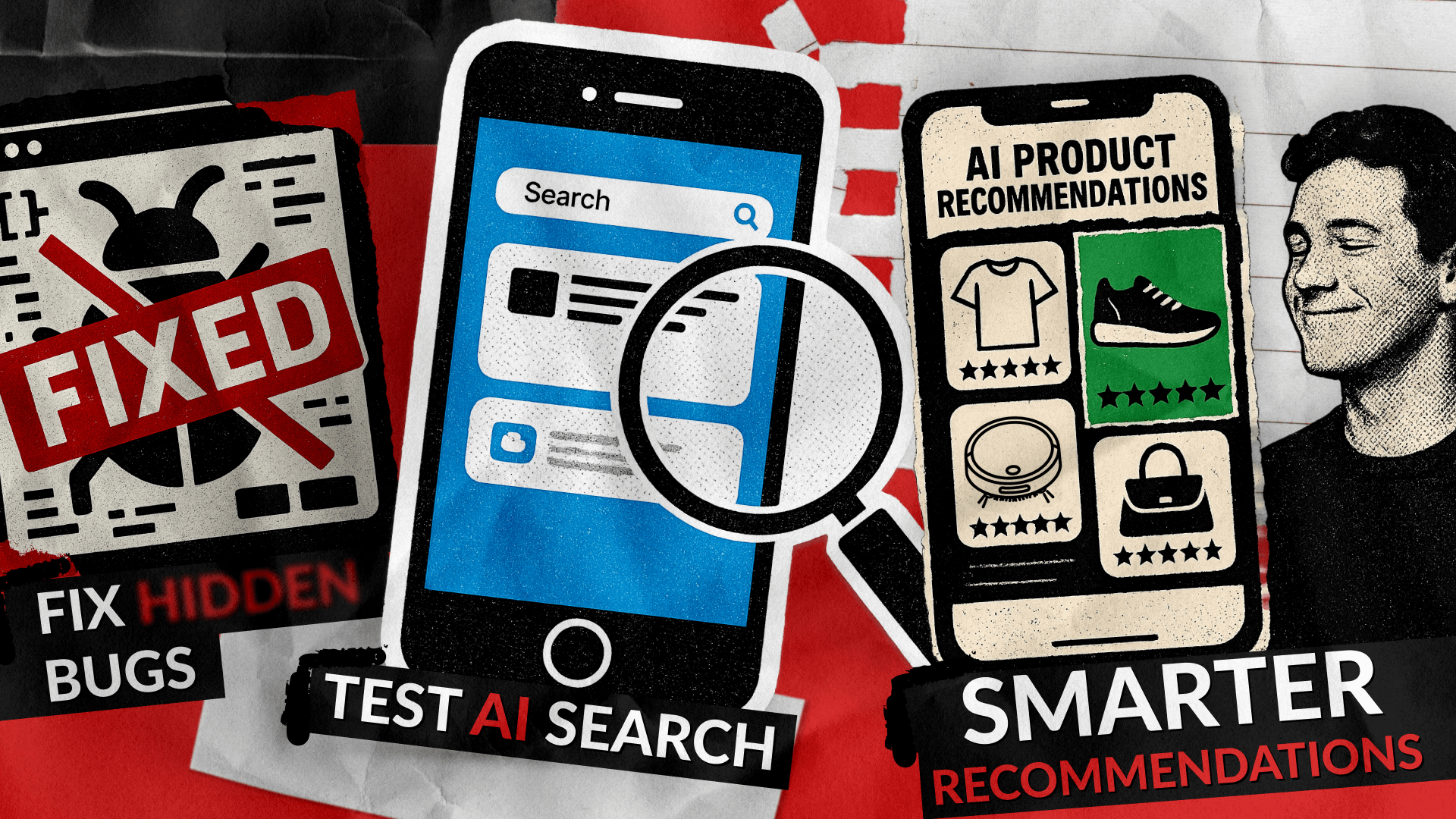
Testing AI search and recommenders is critical to delivering a seamless user experience that engages rather than annoys buyers. Poorly configured AI search engines and ineffective AI recommender systems can frustrate users with irrelevant results, confusing navigation, or overly aggressive recommendations. This is where professional AI testing services can make all the difference.
This article addresses how to efficiently conduct testing AI search functionalities and AI search features to optimize the user experience, increase engagement, and boost conversion rates. By following best practices in AI search engine features testing and AI recommender assessment, businesses can reduce buyer confusion and improve satisfaction.
Understanding AI Search Features That Matter
AI search features are the backbone of any modern e-commerce or digital platform aiming to serve relevant content dynamically. Before testing, it is essential to understand the core features that drive natural language understanding, semantic search results, and personalized ranking. These include:
- Natural Language Processing (NLP): Enables the search engine to interpret buyer queries beyond keywords and handle conversational input.
- Semantic Search: Understands intent and context to produce relevant search results aligned with customer needs.
- Ranking Algorithms: Prioritize results based on relevance, popularity, and user behavior rather than simple keyword matching.
- Personalization: Dynamically adjusts to individual buyer preferences and user behavior to tailor search output.
- Usability & Filters: Intuitive UI components allowing users to refine and control search results enhance the buying journey.
Companies relying on AI search engine features should prioritize testing methods that simulate realistic buyer interactions, measure key metrics, and identify areas for improvement before live deployment.
Essential Elements in Testing AI Search
Effective testing for AI search extends beyond verifying that keywords match results accurately. It involves reviewing:
- How well the search engine understands complex and conversational queries.
- Whether top results truly satisfy most user needs.
- Speed of results delivery, as slow responses drive users away.
- Handling of misspellings and synonyms without loss of accuracy.
- Effectiveness of filters and facets in helping users refine their search results.
- Support for multiple languages and regional nuances.
Focusing on these factors helps create AI search tools that buyers can rely on.
Even traditional search, not to mention AI, is often prone to errors. Here is a hands-on example:
Examples of Bugs in AI Search Systems
AI search solutions, while powerful, often face a range of bugs that can detract from the user experience. Common issues include errors in query limit tracking, where the system displays an incorrect number of remaining searches—for instance, showing ‘29/15’ queries used instead of the accurate count like ‘14/15.’ These inaccuracies confuse users and raise reliability concerns. Careful validation of state synchronization and query counting is necessary to fix such problems.

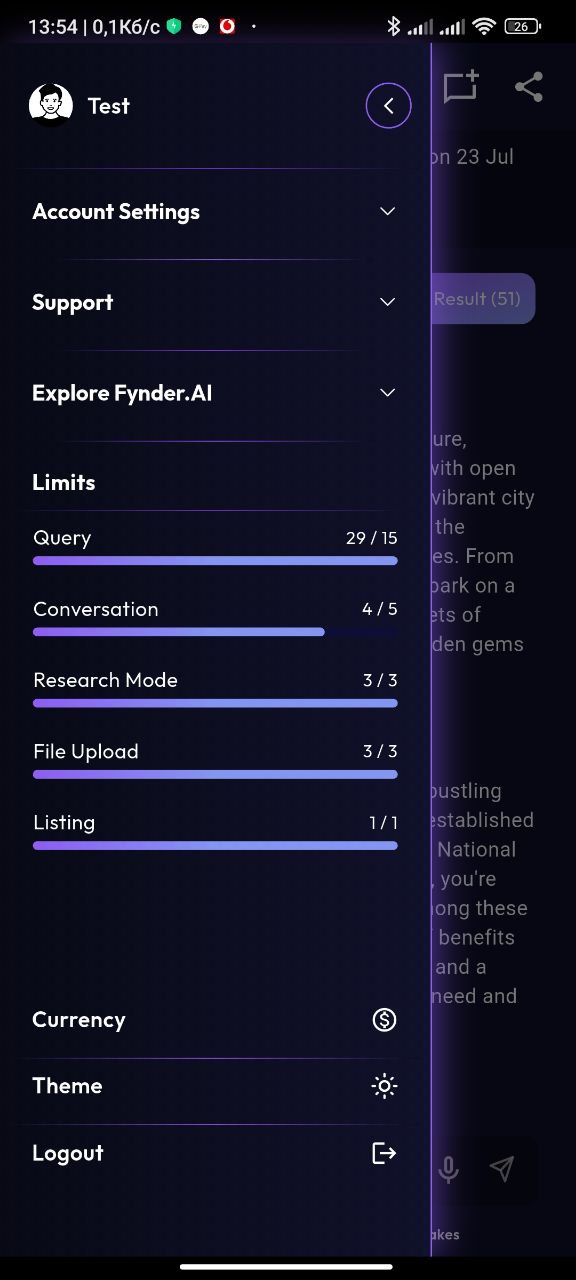
Other bugs potentially impact search relevance, such as returning unrelated results when users search with single keywords. These arise from insufficient filtering or poorly configured query parsing, especially in complex systems with large, varied datasets. Additionally, AI systems must manage issues such as handling spelling mistakes, synonym recognition, and latency in responses.
Beyond these, AI search systems can suffer from unpredictable AI behaviors, model biases, or difficulties with multi-language support. Testing teams should prepare for diverse bug types ranging from functional errors, performance slowdowns, to user interface glitches to ensure seamless search experiences.
Thorough bug tracking, ongoing monitoring, and swift issue resolution are essential practices in maintaining user trust and optimizing AI search performance.
Deep Dive Into AI Recommenders
AI recommenders help personalize content and products, which can boost sales and engagement. When testing these systems, check for:
- Accuracy in predicting relevant items based on past behavior.
- Diversity to avoid repetitive or irrelevant suggestions.
- How the system performs with new users or fresh content that lacks a history.
- Responsiveness to users’ recent behavior for real-time updates.
- Consistency across devices and platforms.
- Smooth UI integration to avoid clutter or distraction.
A good testing framework strikes a balance between the algorithm’s effectiveness and its ease of use, making AI recommendations both helpful and user-friendly. To achieve this, it’s crucial to follow a structured approach that breaks down the process into clear and manageable software testing phases.
Testing Methodologies for AI Search & Recommenders
Using structured testing methods helps you get the most out of your AI search and recommendation systems:
- Functional Testing: Confirms the system meets requirements, handles diverse queries, and delivers relevant results.
- Performance Testing: Measures response times and load capacity under peak usage.
- A/B Testing: Compares different models or versions to see which drives better engagement and purchase behavior.
- Usability Testing: Observes real users interacting with the system to identify confusion or friction points.
- Bias and Fairness Audits: Ensures results and recommendations are balanced and don’t unfairly favor certain products or groups.
- Continuous Monitoring: Tracks the ongoing effectiveness of search and recommendations to identify and address emerging issues.
Practical Best Practices to Avoid Buyer Frustrations
Since 2015, we have helped companies build effective QA workflows from the ground up. Drawing on our expertise, we have prepared a list of key points to pay attention to when testing AI recommenders and AI search engines.
- Align Features with Buyer Intent: Model relevant user behavior to boost result accuracy.
- Transparent Display: Show reasons behind recommendations to cultivate trust.
- Simplify Filters and Controls: Keep options clear and manageable to avoid overwhelm.
- Prioritize Mobile Experience: Test thoroughly on mobile devices where many buyers shop.
- Leverage Semantic Search: Move beyond keyword matching with advanced NLP.
- Regularly Refresh Models: Keep up with trends and preferences by periodic retraining.
Why Invest in Professional AI Search and Recommender Testing?
If your company utilizes AI for business or e-commerce, it’s essential to ensure that your search and recommendation engines enhance the user experience. Working with expert testers can offer:
- Deep evaluation of AI search features impacting buyer satisfaction.
- Uncovering hidden bugs or logic flaws that reduce usability.
- Data-backed improvements that lift conversion and retention rates.
- Security and privacy compliance in handling customer data.
With over a decade of expertise in software testing, QAwerk supports top clients worldwide across industries like fintech, e-commerce, and healthcare. Trusted by brands such as Squarespace and ClickHouse, we specialize in ensuring software quality, security, and performance. QAwerk offers dedicated AI agent testing services to deliver reliable, high-performing AI solutions tailored to your business needs.
Conclusion
Testing your AI search and recommender systems thoroughly helps you create user-friendly experiences that meet what buyers want. Careful testing ensures these tools work for real users, helping your business build loyalty, boost sales, and maximize the return on your AI investment.
See how we tested an AI-led UX optimization app, increasing regression-testing speed by 50%