
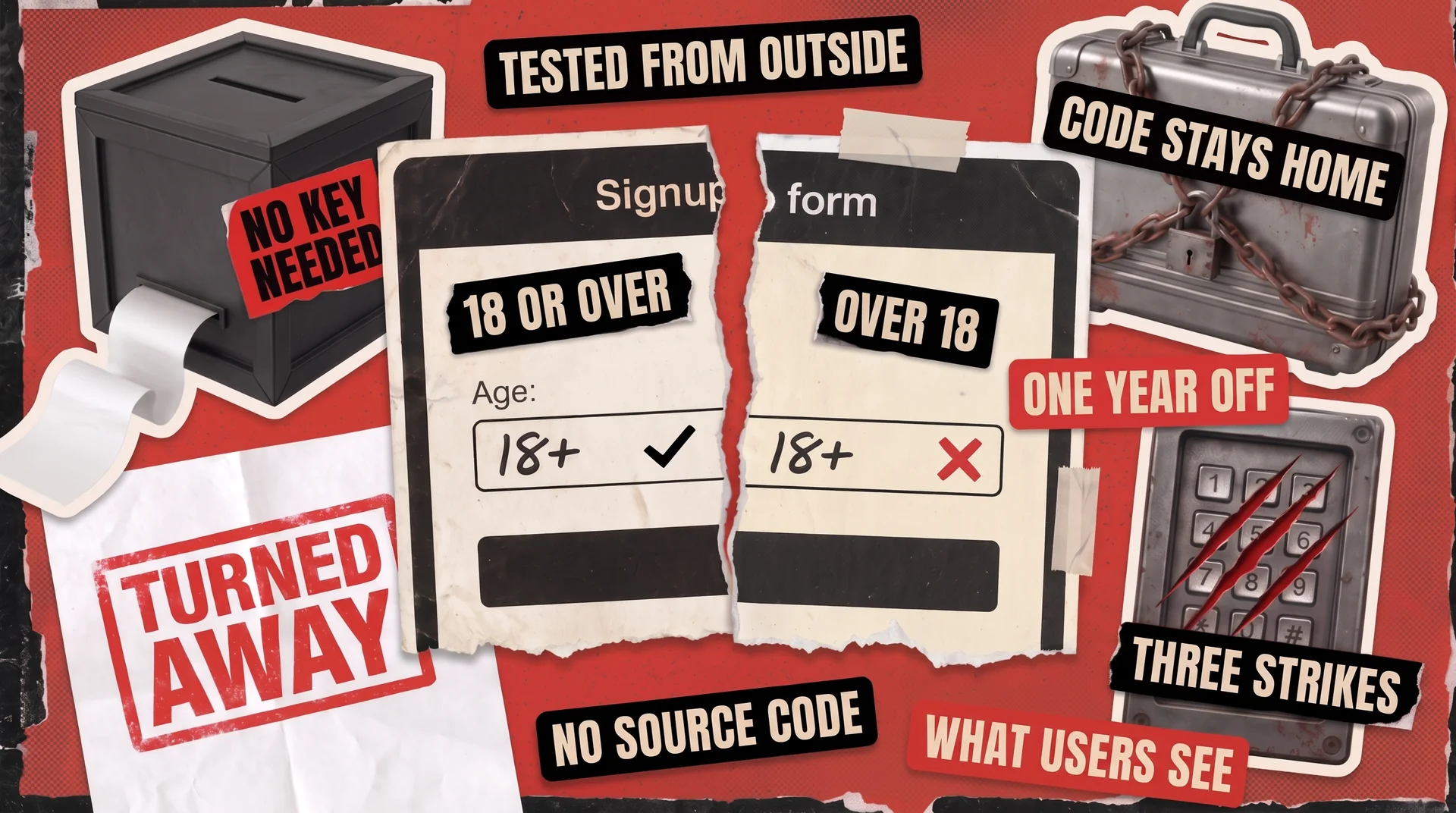
Black box testing in software engineering checks a product from the outside with no view of the source code, exactly the way your customers use it. That limitation is deliberate, because the people paying for it can’t see inside either. They still find the broken parts within days of a launch.
There’s a commercial reason to care as well. Testers who never receive your code can’t leak it, which is why many companies hire an outside partner for manual testing rather than opening up their systems.
In this guide, we’ll walk you through black box testing and its four main techniques in detail. We will also talk about when you should use black box vs white box testing in real projects.
What Black Box Testing in Software Engineering Actually Is
The name is borrowed from engineering, where a black box is any system judged purely by what goes in and what comes out. Testers work the same way. Some have no access to the code, and the rest choose not to look.
The profession has a second label for this, specification-based testing, and that one describes the job more honestly. ISTQB, the body that maintains standard terminology for testers worldwide, defines it as a test approach based on the specification of a component or system. Put plainly, somebody writes down what the product is supposed to do, and a tester checks whether it does exactly that.
A tester doesn’t need to know how the software was built. They work from requirements, feature descriptions, and the screens in front of them, then compare what happens against what was promised.
By contrast, white box testing starts from the opposite end. The engineer reads the source code and maps out every decision it makes, such as sending paid customers one way and free users another. Each of those choices then gets its own test, so nothing inside goes unchecked.
What the tester sees
The product as a customer sees it
The source code and every decision inside it
What tests are based on
Requirements and specifications
Code structure and logic
Who usually runs it
QA engineers, outside partners, real users
Developers and anyone with access to the code
What it catches best
Broken features, confusing flows, missing rules
Untested branches, dead code, faulty logic
Skills it demands
Product and domain knowledge
Programming knowledge
Source code access
Not needed
Essential
Neither approach wins outright, since they answer different questions. One tells you whether the product does its job. The other shows whether the code underneath is sound. Most healthy teams run both, at different moments and usually with separate people.
The Four Core Black Box Testing Techniques
You can’t test everything. For example, a booking form with just five questions, each accepting ten different answers, already produces 100,000 combinations. Since nobody has time to go through them individually, specialists instead use four black box testing techniques that narrow the list to the checks most likely to find real bugs.
Equivalence Partitioning: Test One Value From Each Group
Software rarely treats every input as unique. It sorts them into groups and applies the same rule across each.
Picture a signup form that accepts applicants aged 18 to 65. Everyone inside that range gets identical treatment, so trying 34 and then 47 teaches you nothing new. Three outcomes actually exist here: too young, accepted, and too old. Equivalence partitioning means picking one value from each group and trusting it to stand for the rest.
Those 48 accepted ages need just a single test between them, while the two rejected groups take one each. This technique also handles inputs that should fail, such as letters typed into a number field or a box left empty, and probing those deliberately is called negative testing.
Boundary Value Analysis: Test the Edges of Every Group
Bugs collect at the edges of each group, meaning the exact points where the answer flips from accepted to rejected. The signup form from our example has two of them: the step from 17 to 18, and the step from 65 to 66.
Here’s where it goes wrong. The rule says applicants must be 18 or over, but whoever builds the form writes it as “over 18” instead. Those two phrases look identical until an 18-year-old tries to sign up and gets turned away.
So you test the values on both sides of each edge: 17 and 18 at the bottom, 65 and 66 at the top. That’s four checks, and they catch a mistake that slips into software constantly. Our guide to boundary value analysis goes further, including how the same idea applies to dates, file sizes, and the number of records a system will accept at once.
Decision Table Testing: Map Every Combination of Rules
Some behavior depends on several conditions at once, and that’s where teams lose track. A decision table lists each one, then spells out what should happen for every combination.
Say your checkout offers free delivery on orders above $50, and loyalty members earn points on anything they buy. Two conditions produce four outcomes:
No
No
Delivery fee of $5
No
Yes
Delivery fee of $5, points added
Yes
No
Free delivery
Yes
Yes
Free delivery, points added
Written out like this, gaps become obvious. Teams routinely check the first row and the last, then ship without trying the two in between. That’s exactly where a member who spends $40 pays the right fee and never receives their points.
Add a third condition, such as a discount code, and the table doubles to eight rows. That growth is the whole point, because each new line is a combination your customers will eventually hit whether or not anyone tried it first.
State Transition Testing: Follow the Path a User Takes
Certain features behave differently depending on what happened before, and that history is what this technique examines. The software sits in one state, an event moves it to another, and the tester follows the route.
Account lockout is the clearest example. At first, everyone is in good standing. Then one wrong password adds a strike, a second brings another, and a third locks the login for 15 minutes. However, getting it right at any point should clear that tally and let the person in.
Walking that path turns up the checks worth running:
- The strike count should reset completely, leaving nothing from Tuesday to combine with two more on Friday.
- The lock should release itself after 15 minutes instead of holding until support steps in.
- A locked account should refuse fresh guesses while it waits.
None of these checks require access to the source code. They just need somebody willing to follow the whole sequence rather than test each screen on its own.
Where Black Box Testing Fits in Your Development Process
Black box work can begin the moment written requirements exist, which is earlier than most teams assume. Testers design cases from the specification itself, so preparation starts while developers are still building.
It becomes the primary method at two later stages:
- System testing examines the assembled product against what was specified, covering the whole thing rather than its parts.
- User acceptance testing asks the people who requested the software whether it solves their problem. Those reviewers have never seen the code, and they don’t need to. That’s black box testing in its purest form.
Alpha and beta testing sit in the same family. Both hand a build to real users and watch what breaks, one group inside the company and one outside it. Our comparison of alpha and beta testing covers how they differ in practice.
However, this method can’t prove that every line of your code has been run. A feature may pass all its outside checks while a whole branch of logic sits untouched behind it, waiting for an unusual input. Developers close that gap with unit tests, small programs written to inspect the code directly. Automation testing then re-runs the user-facing scenarios on every build, so you find out immediately if something that used to work no longer does. These efforts complement each other rather than compete.
Why Black Box Testing Matters When You Outsource QA
Handing your source code to an outside company is a decision with legal weight. Contracts grow longer, security reviews get involved, and some organizations simply refuse.
Black box testing avoids that decision entirely. A partner running these techniques needs only your requirements, a working build, and a few accounts to log in with. Because your code never leaves your company, there’s far less for your lawyers to check. Testing can start in days instead of waiting for sign-off.
That also means an outside partner can join a project at any stage, without needing a finished build or a code handover. A dedicated QA team can start on the half of the product that already works while your engineers complete the rest.
Here’s how that looks in practice: Escuela Coaching, based in Madrid, asked for an independent review of their online platform before launch. Our engineers tested both the coach and client portals across 7 devices in roughly a month and reported more than 100 defects. Today the platform serves over 300 organizations.
The same reasoning applies to security. Dynamic application security testing probes a live system from the outside, hunting for weaknesses without reading a line of source code. That puts web application security testing in the same family, and makes it another job an outside specialist can handle without your code.
Black Box Testing Is a Choice, Not a Compromise
Working without the source code looks like a gap in the method until you see what it buys you. The checks mirror how real customers use the product, and the people running them never need access to your code. Together those two facts explain why so much testing gets handed to an outside team.
QAwerk applies these techniques across our manual, system, and acceptance testing. To work out which of them your next release actually needs, talk to our QA engineers.
What is black box testing in software engineering?
Black box testing in software engineering means judging a product by what it does, not by how it was built. A tester works from the requirements and the screens, never the source code. It’s also called specification-based testing, the standard approach for system testing, acceptance testing, and most manual QA.
What are the main black box testing techniques?
Four techniques cover most situations. Equivalence partitioning splits inputs into groups that behave the same way, then tests one member of each. Boundary value analysis targets the values right where a rule starts or stops applying. Decision table testing works through every combination of conditions. State transition testing checks how a feature responds as its status changes.
Can black box testing be automated?
Yes, and most teams automate the repetitive parts. A script can fill in a form, submit it, and confirm the response without anyone watching, which suits anything you repeat on every build. Exploratory work and judgments about whether a screen actually makes sense still happen by hand. Most products end up with a mix of both.
Do black box testers need to know how to code?
No. These techniques depend on understanding the product, its users, and the written requirements, not on reading code. Plenty of QA engineers do pick up scripting over time, and it widens what they can take on. Designing test cases from a specification, though, needs no development background at all.
When should you use black box testing?
Reach for it whenever the question is whether the product works for its users. It fits system and acceptance testing, releases under deadline pressure, and any arrangement where a vendor shouldn’t be handed your source code. Combine it with developer unit tests, because neither approach on its own tells the full story.
See how Escuela Coaching launched their online coaching platform on schedule after we tested both portals across 7 devices and reported more than 100 defects.



