End-to-end testing checks that a real user can complete a real workflow, such as signing up or paying for an order, with every system behind the interface connected. That makes it the part of functional testing closest to what customers experience. Integration testing, by contrast, verifies that two or more components communicate correctly through their interfaces.
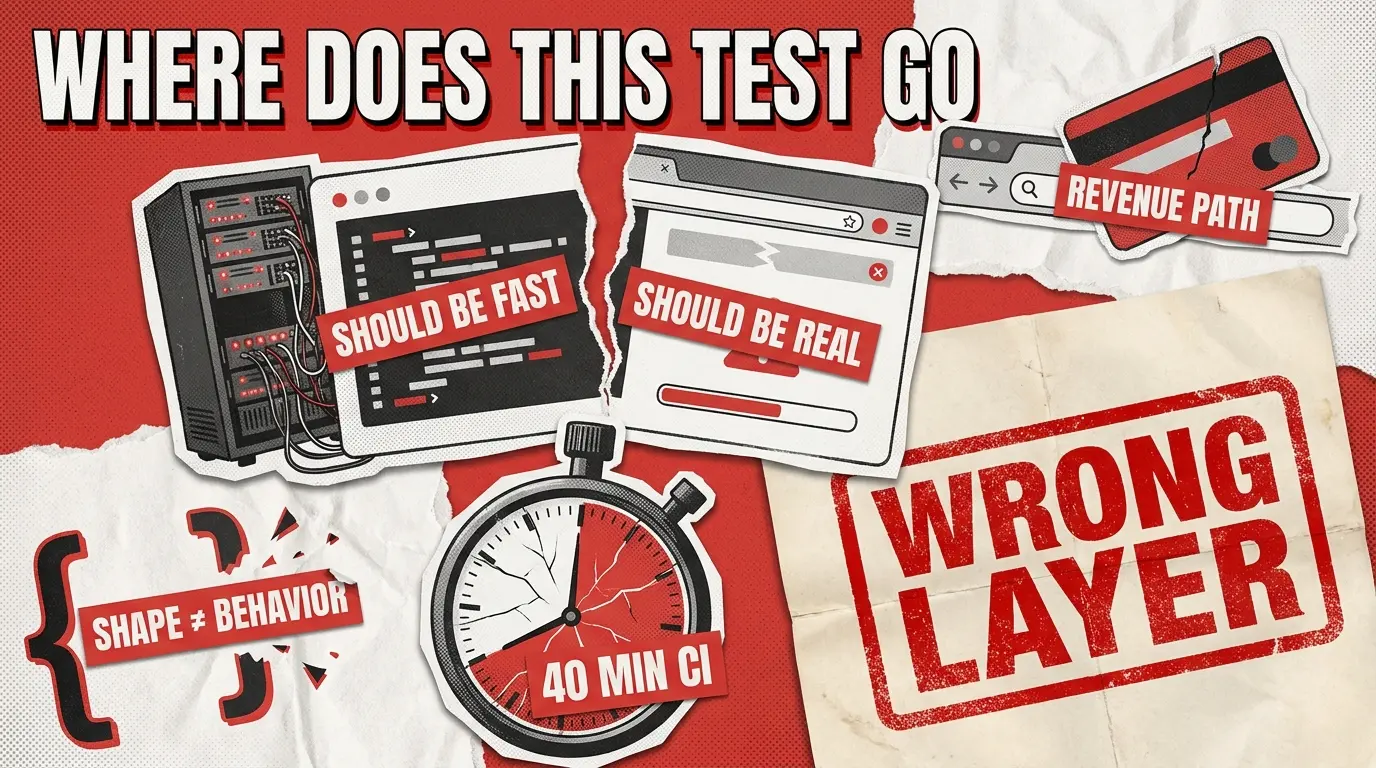
The pain point sits in the space between those two definitions. A test case lands on the whiteboard, continuous integration (CI) already takes 40 minutes, and half the team wants it in integration because it’s cheap, while the other half wants it in end-to-end (E2E) testing because “it touches the UI”. Every article on end-to-end testing vs integration testing ends with the same shrug: use both, follow the 70/20/10 pyramid, good luck. That advice tells you nothing about the test in front of you.
A better answer treats each placement as a cost-of-feedback decision, made one test case at a time.
What Does End-to-End Testing Actually Cover?
End-to-end testing follows one complete user journey through every system that journey touches. Take an online shoe order. The test opens the store in a real browser, signs in, adds a pair of sneakers to the cart, and applies a discount code. The same test then pays with a test card and checks that the confirmation email shows the right order number. Along the way, that single test exercises:
- LEDThe frontend: rendered pages, forms, and buttons, plus browser-held state such as the cart and session
- The backend and APIs: the pricing, stock, and order services behind each click
- The database: the order record saved at checkout and read back on the confirmation page
- Third-party services: the payment provider, email service, and sign-in provider
- The environment: production-like settings and realistic test data
A failed journey test proves that a user would get stuck, but it rarely shows where the fault sits. Lower-level tests pinpoint the broken component, which is why teams run both layers.
End-to-end testing is often confused with user acceptance testing, the business-facing check of a finished release. Both checks follow complete journeys, but different people run them for different reasons. Testers script end-to-end tests, often automated, to find defects before release. Business users run acceptance tests to decide whether to accept the release.
End-to-End Testing vs Integration Testing vs System Testing
ISTQB, the international software testing standards body, calls integration testing and system testing test levels in its glossary, meaning stages of the build. In the same glossary, end-to-end testing is a test type in which business processes are tested from start to finish under production-like circumstances. That difference explains why the terms overlap: an end-to-end check can run during system testing and still answer its own question.
Key question
Do two components talk to each other correctly?
Does the whole application meet its requirements?
Can a real user complete a real journey?
Scope
One interface between components or services
One complete application, feature by feature
A full user journey across the app and the outside services it relies on
How it runs
Mostly below the browser, often with outside services mocked
Against a complete build in a test environment
In a real browser or on a real device, with real or sandbox services connected
Typical cadence
Every commit
Before each release
Critical journeys on every merge, the full suite nightly and before release
Password reset example
The reset service creates a token, and the email service accepts the request
Every account feature, password reset included, works as specified
A user requests a reset, opens the email, sets a new password, and signs in
Our system testing checks a whole product against its requirements, while integration testing covers the joins between components and services. Journey tests depend on both layers. With the contracts underneath already verified, a failing end-to-end test points to a real user-facing problem.
Why End-to-End Tests Should Stay Narrow
End-to-end tests sit at the top of the testing pyramid, a model that puts many fast unit tests at the base, fewer integration tests in the middle, and a small set of journey tests at the peak. The peak stays small because journey tests are the slowest to run and the most likely to turn flaky, meaning they pass on one run and fail on the next with no code change. Flakiness usually comes from timing, a slow network, or a late reply from an outside service.
Research points to the same root causes: a 2025 study of 810 flaky tests found that 75% belonged to clusters sharing a root cause, most often network issues and unstable external dependencies. Those dependencies are exactly what an end-to-end test connects to, so the safest plan is a small suite aimed at revenue-critical journeys. When a suite has already drifted, our breakdown of why tests turn flaky covers the usual causes.
The pyramid is a distribution target. It says roughly 70% unit, 20% integration, 10% E2E, and stops there. Distribution is the outcome of good per-test placement decisions, not something you achieve by shuffling tests between layers until the ratio looks right. That’s why the E2E testing vs integration testing debate never gets resolved in most teams: everyone argues about the ratio, and nobody agrees on the rule.
Two failure modes show up when teams treat the pyramid as advice. The first is E2E bloat. Anything that touches the UI gets pushed up; the suite balloons to 45 minutes; developers stop running it locally; and CI becomes a rubber stamp. The second is integration over-mocking. Everything below the browser gets mocked out to keep tests fast, the suite stays green, and production breaks on a Stripe webhook shape change that no test ever exercised against the real payload.
Both failures come from the same root cause: nobody had a rule for deciding where a specific test belongs. That’s the gap we’re closing.
The Four-Question Placement Filter
Run every new test case through these four questions in order. Each one isolates a single decision. If the answers point to a real browser, real services, and a revenue path, the test earns an E2E slot. If not, it belongs at the integration layer, and your CI budget thanks you.

Question 1: What Layer Is the Assertion on?
The assertion tells you where the test belongs. Take a coupon test: “applying a 15%-off code reduces the cart total.”
If the assertion is expect(response.discount).toBe(15), this is an integration test. You’re checking that the pricing service returned the correct number. The browser is irrelevant. This is the layer where our API testing work sits, and it’s where most business-logic verification should live.
If the assertion is expect(page.getByTestId(‘cart-total’)).toHaveText(‘$85.00’), this is an E2E test. You’re checking that the number reached the DOM, was rendered in the right element, and matched what a user would see.
Same business logic. Two different tests. Two different homes. The rule: the layer of the assertion decides the layer of the test. Integration tests that assert on rendered text are lying integration tests. They either need a real browser (in which case they’re E2E) or a different assertion (in which case they’re integration done right).
Question 2: Is the Third Party the Subject or the Plumbing?
Every checkout flow depends on external services. Stripe, Twilio, Auth0, SendGrid. The question is whether the third party is what you’re testing or just something the test happens to touch.
Take a declined-card test: “a declined Stripe card shows the retry screen”.
If you’re verifying that Stripe’s decline codes map correctly to your internal error taxonomy, Stripe is the subject. This is an integration test against Stripe’s test mode or a recorded fixture. What you care about is whether card_declined becomes PaymentFailedError.RetryableDecline on your side.
If you’re verifying that the user sees a retry button, can re-enter card details, and gets a fresh attempt, Stripe is plumbing. The retry UI is the subject. This is an E2E test.
The mistake teams make is pushing anything that touches a third party up to E2E because “it needs the real service.” It doesn’t. It needs the real service only when the service is what you’re asserting on. Everything else can mock the plumbing and test the actual subject at the cheaper level.
Question 3: Would a Contract Change Alone Break This Test?
Take an email test: “The order confirmation email contains the order ID”.
If a downstream service renames orderId to order_id and this test breaks even though the user still receives the correct email with the correct ID, you have a contract test dressed as an E2E test. The failure log will say “expected field orderId, got order_id.” That’s an integration failure, and integration is where it should surface: fast, cheap, and pointing directly at the broken contract.
E2E tests should fail on behavior, meaning the user got the wrong outcome. When they fail on shape, meaning a payload field is renamed, but the user experience is identical, debugging cost multiplies by roughly 10x because you’re chasing a JSON diff through a browser trace, screenshots, and network logs. Contract failures belong at the integration layer and are verified using schema assertions or a contract-testing tool.
Question 4: Revenue-Critical Flow or Secondary Branch?
Not every real user journey earns an E2E test. Take a settings test: “user updates notification preferences from weekly to daily digest”.
Real workflow. Real database write. Real user impact. It still belongs at the integration layer. Every E2E test you add taxes every future pull request, and the tax compounds. Reserve E2E slots for flows where a failure is a revenue event: signup, login, checkout, payment, subscription upgrade, account recovery. Everything else earns integration coverage unless there’s a specific UI-rendering risk that only a browser can catch.
Integration testing vs end-to-end testing is a cost-of-feedback decision. Spend your E2E budget where a failure would cost you a customer.
Tests That Got Promoted to E2E and Shouldn't Have Been
This is the single most common waste category in a bloated E2E suite. Each of these has a specific failure signature: the test fails, and the fix is a one-line change to code that never needed a browser to verify.
- Form validation tests. “Email field rejects strings without @”. This belongs at the integration layer and should be tested against the validator. If it lives in E2E, you’re paying the browser-launch cost to test a regex.
- API error-mapping tests. “A 500 from the payment service shows ‘try again later.’” Integration test at the error handler. The browser is not what maps the error.
- Database persistence tests. “A submitted contact form appears in the admin panel.” Two integration tests, one for the write and one for the read, beat one flaky E2E that spans both and takes 30 seconds per run.
- Feature-flag tests. “Users with flag X see variant B.” Integration test at the flag-resolution layer. E2E only if the visual variant itself carries risk.
- Permission tests. “A non-admin user can’t hit /admin.” Integration test at the auth middleware. Every restricted route wrapped in an E2E is a suite you’ll be pruning in six months.
Diagnostic you can run on your own team this week: pull the last five E2E failures. If each were fixable by looking at a network response rather than a screenshot, your suite has drifted downward. Half of it belongs at the integration layer, and the CI clock is the receipt.
Tests That Got Demoted to Integration and Broke Production
The reverse mistake is rarer, more expensive, and usually goes unnoticed until a customer files a ticket. A test moved down to integration for speed; mocks fill in for real services; everything stays green; production breaks on the exact thing the mocks concealed.
Multi-step flows with state held in the browser are the classic case. Cart persistence across pages, multi-step wizards, session-based checkout. When you mock the session layer, you also mock away the bug that ships. Third-party redirects are another. OAuth callbacks, Stripe Checkout, PayPal handoff. The redirect round-trip is where things break, and it doesn’t exist in an integration test. CSS-dependent behavior belongs in E2E too: a submit button hidden behind a modal because a z-index changed on Tuesday’s release will not surface at any layer below a real browser. Cross-origin cookie behavior, SameSite changes, and iframe authentication all fall into the same bucket.
The rule: if the bug would only appear in a real browser talking to real services, integration can’t own it, regardless of how comprehensive the mocks are. Distributed systems intensify this pattern, which is why we cover it separately in our piece on microservices performance testing.
The Clean Split
Two ownership statements distill the whole piece. Integration owns:
- Service-to-service communication and the shape of what crosses the boundary
- Contract checks: field names, types, error codes, response schemas
- Business logic below the browser: validation, error mapping, permissions, feature-flag resolution, database reads and writes
- Any test where the third party is the subject of the assertion
- Any test where a failure would surface as “wrong service response” rather than “wrong thing on screen”
E2E owns:
- Rendered output: the right thing on the screen, in the right place, at the right time
- Multi-step flows with state carried in the browser
- Third-party redirects and round-trips (OAuth callbacks, Stripe Checkout, PayPal handoff)
- CSS- and DOM-dependent behavior (modals, z-index, hidden buttons, cross-origin cookies)
- Revenue-critical journeys where a failure means a lost customer
One-line summary: integration proves the pieces talk correctly; E2E proves the user gets through. If a test tries to do both, split it into two.
Now, the placement rule is a working tool. Run any test through the four questions. If Q1 answers “rendered output,” Q2 answers “subject,” and Q4 answers “revenue-critical,” the test earns its E2E slot. Otherwise, default to integration. Framework choice comes second and matters less than most teams think. Whether your team runs Cypress, Playwright, or Selenium, the discipline is in place, and our page on automated testing covers how we operationalize it end-to-end.
When Should You Run End-to-End Tests?
Even a narrow suite needs a schedule, because running every end-to-end test on every change stalls the pipeline. Most teams split runs by trigger:
- On every merge: a smoke set of the most critical journeys that finishes within minutes and confirms the build basically works. Our comparison of smoke and sanity testing explains how the two quick checks differ.
- Nightly: the full suite against the latest build, with results in the team chat by morning. This nightly run usually anchors regression testing, which confirms that new code hasn’t broken old features.
- Before a release: the full suite on the release candidate, across the browsers and devices your users have.
- After deployment: a few key journeys run against the live product on a schedule. This practice, called synthetic monitoring, catches configuration and third-party failures that no test environment reproduces.
- After a third-party change: an extra run when a payment, email, or sign-in provider changes its API, since such changes break journeys without touching your code.
Modern E2E Testing Tools: Playwright, Cypress, and Selenium
When teams compare e2e testing tools for web apps, the shortlist usually comes down to Playwright, Cypress, and Selenium:
- Playwright: Microsoft’s open-source framework drives Chromium, Firefox, and WebKit, the engine behind Safari, from one API. Playwright supports TypeScript, JavaScript, Python, Java, and .NET, so one suite can serve teams with different stacks.
- Cypress: Cypress runs inside the browser, which makes debugging fast and visual. The framework suits JavaScript teams testing modern web apps.
- Selenium: Selenium supports the widest range of browsers and programming languages, so it stays common in legacy setups and large Java or C# codebases. The project is also moving to WebDriver BiDi, a newer W3C standard for browser automation.
Both newer frameworks now use AI to cut maintenance. Playwright’s test agents plan tests, generate them, and repair failing ones. Cypress offers cy.prompt, which turns plain-English test steps into Cypress commands. AI tooling lowers the cost of writing tests, yet a person still decides what journeys deserve a test at all.
End-to-end suites usually run across several browsers and screen sizes, which is where E2E work overlaps with cross-browser testing. Native mobile apps need their own tools, typically Appium for iOS and Android or Detox for React Native apps.

How QAwerk Runs End-to-End Testing
Every end-to-end engagement starts with the same question: what deserves a journey test? From there, our process runs in five steps:
- Map the critical journeys. With the product owner, we list the flows where a failure costs revenue or trust and agree on what stays out.
- Pick the framework that fits the stack. We choose Playwright, Cypress, or Selenium for the web and Appium for native mobile, based on your languages, browsers, and CI.
- Isolate the test data. Each test creates its own data and cleans up afterwards, so no run depends on another.
- Split runs by trigger. Smoke tests run on every commit, the full suite runs nightly, and results land in your Slack.
- Keep some checks manual. Flows that rely on outside inboxes or unstable interactions such as drag-and-drop cost more to automate than they save.
Here’s how that played out on three projects:
- An online pharmacy: For Dr.Ansay, we built 40+ Playwright tests around the most vital user journeys and ran them daily. Our testing caught a cart that emptied after login and a promo code that pushed the total to -53,20 €. The client then saw 18% fewer abandoned checkouts.
- A sustainable e-commerce shop: Kazidomi‘s 284 automated tests took about 6 hours to run, so we split out a smoke group of about 30 that ran after each commit.
- A card-issuing API startup: For Union54, we moved the suite to Cypress for its automatic retries, which absorb brief third-party outages. A full nightly run of 1,500 scenarios takes about 1.5 hours.
Because our engineers join as an extension of your team, we can step in at any stage, from a project with no automated tests to a suite nobody trusts.
Where Each Test Earns Its Place
The difference between integration and E2E testing is not a taxonomy question. It’s a per-test decision that shapes your CI clock, your production incident rate, and your team’s trust in the suite. Four questions, applied consistently, replace the argument-per-test with a rule the whole team can share.
If your suite has drifted, if CI takes 40 minutes when it used to take 8, or if production keeps breaking on things your integration tests said were fine, we’ll audit where your tests actually live versus where they should.
Book an audit of your test suite.
FAQ
What is end-to-end testing?
End-to-end testing checks that a user can complete a full workflow, such as signing up or placing an order, through the real interface. The backend, database, and third-party services stay connected throughout. Because these tests are slow and can be flaky, teams keep them for critical journeys and test business rules at faster levels.
What is the difference between integration testing and end-to-end testing?
Integration testing verifies that two or more components communicate correctly through their interfaces. End-to-end testing verifies that a user can complete a workflow through the actual interface with real services connected. The practical difference lies in where the assertion sits: in a service response or in what a user sees.
How do I decide if a test case belongs in integration or E2E?
Ask what the assertion is checking. If it’s a service response, a contract, or a data shape, it belongs at the integration layer; if it’s a rendered element or a multi-step user flow, it belongs at E2E. Any test that would still pass with a broken UI is not an E2E test.
When is integration testing enough, and when do you need E2E?
Integration is enough when the third party is the subject of the test, when a failure would surface as a wrong service response, or when the flow lives off the revenue path. You need E2E when the browser carries state across steps, when third-party redirects are involved, or when a failure means a lost customer on signup, checkout, or payment.
Why is my E2E test suite too slow?
Tests that belong at the integration layer got pushed up: form validation, error mapping, permission checks, and feature-flag resolution rarely need a real browser. Audit the last five E2E failures on your project, and if each was fixable with a network response rather than a screenshot, most of your suite is in the wrong place.
See how QAwerk stabilized checkout and payment integrations and improved regression coverage for Kazidomi before its expansion across Europe.