You spend months building the game with sharp design and innovative mechanics. Your team is rightfully proud of their work, but then you submit it to the store and get rejected within 48 hours. The reason could be as trivial as a broken privacy policy link or a crash on an older iPhone model that nobody tested, something that could have been easily prevented through dedicated mobile game testing.
It happens more than you’d think, for example, Apple rejected 212,000 apps in a single reporting period for guideline violations alone. Similarly, Google blocked 1.75 million apps from publishing in 2025. The stores don’t play favorites, and they have no patience for shortcuts.
To help you understand what kind of challenges you’ll face when dealing with these platforms, QAwerk experts compiled a checklist that covers everything you need to clear before submission. It includes performance thresholds, App Store and Google Play compliance, and the platform-specific QA checks that separate games that launch from games that bounce back to the dev team.
What Happens If You Skip Mobile Game Pre-Launch QA?
That answer is simple: skipping pre-launch mobile game testing usually leads to rejection, which costs you time. If your app does go into the store, a poor launch will still cost you players, and they don’t give second chances. Therefore, testing is directly linked to your revenue and the game’s chances of success in the extremely competitive market.
Remember that 72% of players will uninstall a mobile game after just two performance-related crashes. Moreover, crash rates above 2% measurably hurt retention. Top studios target 0.5% or lower.
The stores enforce their own performance floors, for example, Google Play flags games with a user-perceived crash rate above 1.09% and an ANR (Application Not Responding) rate above 0.47%. If your app hits those thresholds after launch, and your visibility drops, and if it does so before release, you don’t launch at all. Pre-launch mobile app testing is where you catch this stuff before real players do.
Pre-Submission Performance Benchmarks for Mobile Games
QAwerk experts compiled a list of performance benchmarks that apply to most mobile games today. Think of these as the minimum viable metrics for store approval and player retention. If any of them are off, you’re not ready for launch.
What FPS Should a Mobile Game Target on iOS and Android?
- Target 30 FPS as a hard floor across all supported devices.
- Aim for 60 FPS on iPhone 8 and newer, and on 75% of Android 10+ sessions.
- On high-end Android devices (Samsung flagship, Google Pixel), hit 60 FPS in at least 95% of sessions.
- Action and physics-heavy games need 60 FPS. Slower genres like turn-based or puzzle can get by with 30 FPS without hurting UX.
- FPS stability matters as much as the median. For example, a game that averages 58 FPS but dips to 22 FPS during scene transitions will feel broken, even if your headline number looks fine. Track frame pacing variance and keep it at 3% or less.
How Much RAM Should a Mobile Game Use?
- Keep peak RAM usage under 500 MB in the lobby or menu screens.
- Keep it under 975 MB during active gameplay.
- Total installed size should stay under 300 MB, and the total size, including cache and game data, should not exceed 1 GB.
What Is an Acceptable Crash Rate for Mobile Game Store Submission?
- Internal target before submission: 0.5% crash rate or lower.
- Google Play’s enforcement threshold: 1.09% user-perceived crash rate.
- ANR rate (Android): below 0.47%.
It’s imperative to run manual testing on real devices, not only emulators. Crashes that only appear on a Samsung One UI skin or a Xiaomi MIUI device are invisible in a simulator and very visible in a one-star review.
What Load Times Do the App Store and Google Play Expect?
- Initial cold start: under 5 seconds.
- Subsequent level loads: under 2 seconds.
Bear in mind that load times over 10 seconds are directly correlated with install abandonment before the player even sees the first frame of gameplay.
How Does Thermal Throttling Affect Mobile Game Reviews and Retention?
- Battery drain above 25% per hour consistently triggers negative reviews in the action genre.
- Sustained CPU-bound processes that push average power above 2W will also generate bad reviews, even from players who can’t describe what’s wrong technically.
- Thermal throttling alone accounts for 28% of negative App Store reviews in the action genre.
Run extended test sessions, at least 30 minutes of continuous gameplay, on mid-range and low-end devices to watch the thermal curve. If the device gets hot, the OS will throttle the CPU, and your FPS will drop mid-session in ways your initial testing never caught.

iOS Game Submission Requirements: App Store Compliance Checklist
Apple’s App Store Review Guidelines organize requirements across five areas: Safety, Performance, Business, Design, and Legal. Over 40% of App Store rejections fall under Guideline 2.1 (Performance: App Completeness), which means the most common reason for rejection is a game that simply wasn’t ready.
iOS Technical Requirements for App Store Submission
- Build with Xcode 15 or later; as of April 2025, Apple requires apps built with SDKs for iOS 18, iPadOS 18, or later.
- Support Dark Mode, Dynamic Type, and proper screen scaling across all Apple device sizes.
- The app must not crash on launch, during any primary user flow, or when interrupted by a system notification (e.g., a call, alarm, or low battery).
- File size cap: 4 GB total; keep in mind that reviewers may test on devices with limited free storage.
What App Store Metadata Gets Mobile Games Rejected?
- Screenshots must reflect actual in-game content, not mock-ups or UI changes made before launch.
- App title, description, and keywords must accurately describe the game. Note that misleading metadata is one of the fastest paths to rejection.
- All changes in a new version must be described specifically in the Notes for Review field in App Store Connect; generic descriptions (“bug fixes and improvements”) will get flagged.
App Store In-App Purchase and Monetization Requirements
- All purchasable content must go through Apple’s IAP system with no external payment links or workarounds
- Auto-renewing subscriptions require clear disclosure of pricing, renewal terms, and cancellation instructions before the player pays.
- Include a visible “Restore Purchases” button for non-consumable items and subscriptions.
iOS Privacy Requirements for App Store Approval
- Provide a working, accessible privacy policy link before submission. A broken link here is an automatic rejection.
- Complete the App Privacy nutrition label in App Store Connect accurately; Apple’s 2025 guidelines tightened requirements for AI and automation disclosures.
- If your game collects data from users under 13, you must comply with COPPA and include parental consent mechanisms.
- Delete account functionality is required for games that offer account creation.
How to Set the Right Age Rating for Your iOS Game
- Use the IARC rating system in App Store Connect and answer the questionnaire honestly, as misrepresented ratings are a violation.
- Games with loot boxes or randomized IAP mechanics must disclose the odds of receiving each item.
Should You Use TestFlight Before Submitting to App Review?
Run at least one full TestFlight cycle before submitting to App Review. Get external testers on a range of devices, not just the devices your team uses daily. Catch crashes on iPhone SE (the reviewer’s workhorse) before the reviewer does.

Google Play Game Compliance Checklist for Android Submissions
Google Play’s Developer Program Policy has tightened significantly since 2023. Google runs over 10,000 safety checks on each app, and small mistakes, such as a missing privacy policy link, an unnecessary permission, or a crash on first launch, are enough to trigger a rejection.
Android Technical Requirements for Google Play Game Submission
- Target Android 14 (API level 34) or higher: this has been mandatory for new apps since August 2024.
- Submit in Android App Bundle (.aab) format, not APK: AAB is required for new apps.
- APK file size is capped at 150 MB; use expansion files or Play Asset Delivery for larger games.
- Test on a device matrix spanning Android 10 through Android 15, across at least 4 manufacturers.
What Is Google Play’s Closed Testing Requirement for New Games?
If this is your first app under a new personal Google Play developer account, you cannot go directly to production. You need at least 12 real testers who actively use the game for 14 consecutive days before you’re granted production access. This is a hard gate with no shortcut, so plan for it early.
How to Handle App Permissions for Google Play Approval
Request only the permissions your game actually uses. Declaring permissions without justification will trigger a policy review, and dangerous permissions (camera, location, contacts) require a disclosure dialog and a clear rationale in the store listing.
Data Safety and Privacy Requirements for Google Play
- Complete the Data Safety section in the Play Console honestly, as it discloses what data you collect, how it’s used, and whether it’s shared with third parties.
- Child Safety and Abuse and Exploitation (CSAE) requirements, effective January 2026, require explicit content policies and in-app reporting mechanisms for games targeting minors.
How to Complete the Google Play Content Rating for Your Mobile Game
- Complete the IARC content rating questionnaire in the Play Console.
- Misrepresenting content to receive a lower age rating is a policy violation, and Google cross-references actual content during review.
Google Play Store Listing Requirements for Mobile Games
- Title: 30-character maximum.
- Short description: 80-character maximum.
- Screenshots must reflect actual gameplay, not concept art or pre-release builds.
iOS vs. Android: Platform-Specific Mobile Game QA Checks
Are you done with the compliance checklist? Now, let’s take a look at the platform-specific layer, meaning the stuff that doesn’t appear in the official guidelines documents but absolutely appears in one-star reviews.
iOS-Specific Mobile Game Testing Checks
- Game Center Integration
If your game includes Game Center leaderboards or achievements, test the full flow: login, score submission, and achievement unlock. A Game Center auth failure that cascades into a blank screen has killed reviews for games with otherwise clean submissions. - MFi Controller Support
Test with at least one MFi-certified controller if your game supports external input. Controller button mapping and vibration feedback should match documented behavior. - Interruption Handling
Your game must handle incoming calls, Siri activations, FaceTime overlays, and notification banners without crashing or corrupting the game state. This is routinely tested by Apple reviewers. - Push Notifications
If you use push notifications, confirm the permission prompt displays correctly on first launch, and test behavior when notifications arrive during gameplay.
Android-Specific Mobile Game Testing Checks
- OEM Skin Compatibility
Manufacturer skins like Samsung One UI and Xiaomi MIUI alter core Android behaviors. A permissions dialog that appears correctly on stock Android may render off-screen or behave differently on an OEM build. Test on real OEM devices, not stock Android emulators. - Google Play Games Services
If you integrate leaderboards, achievements, or cloud saves through Play Games Services, test sign-in flows across accounts that have and haven’t played the game before. - Back Button Behavior
Android’s physical or gesture-based back navigation must behave predictably. Trapping the user in a loop or crashing on back press in certain states is a common bug on Android, but it doesn’t occur on iOS. - Device Fragmentation
Screen aspect ratios range from 16:9 to 21:9 and beyond. UI elements should not clip or overlap on non-standard screen sizes. Test on at least one device with a notch, a punch-hole camera, and a foldable display if your target market uses them.
How Do App Store and Google Play Reviewers Test a Mobile Game?
Before you hit submit, do what a reviewer would: run a walk-through on a clean device, not your dev machine, and not a device with the build already installed.
Run through this flow start to finish:
- Fresh install from the build you plan to submit.
- Open the game, complete the onboarding flow.
- Trigger an IAP and confirm that the flow, pricing, and restore option are visible.
- Find the privacy policy link and confirm it loads correctly.
- Test with active background apps (streaming audio, messaging).
- Accept an incoming call mid-session and return to the game.
- Check that the game saves state correctly on app backgrounding and restore.
- Delete the game and confirm all residual files are removed.
If anything in that flow breaks on a clean device, the reviewer will find it, so you’d better do it first.
What Should Mobile Game Testing Services Automate vs. Test Manually?
Automated testing handles the high-volume, repeatable stuff, such as login validation, IAP flow checks, basic UI rendering across screen sizes, and regression testing suites after each build. Tools like Appium handle mobile test automation well for these scenarios.
Manual testing covers the judgment calls, for example:
- Does the onboarding feel intuitive?
- Is the monetization flow pushy or natural?
- Does the frame rate feel smooth even when the FPS counter says 60?
For game pre-launch QA, experienced testers need to play the game, not just run scripts against it. A useful split for pre-launch: automate your regression suite and performance benchmarking; keep manual testing in charge of UX, interruption scenarios, and store compliance walkthroughs. If you’re interested, check out our post about mobile game testing tools that support both approaches.
When Is Pre-Launch Mobile Game Testing Done?
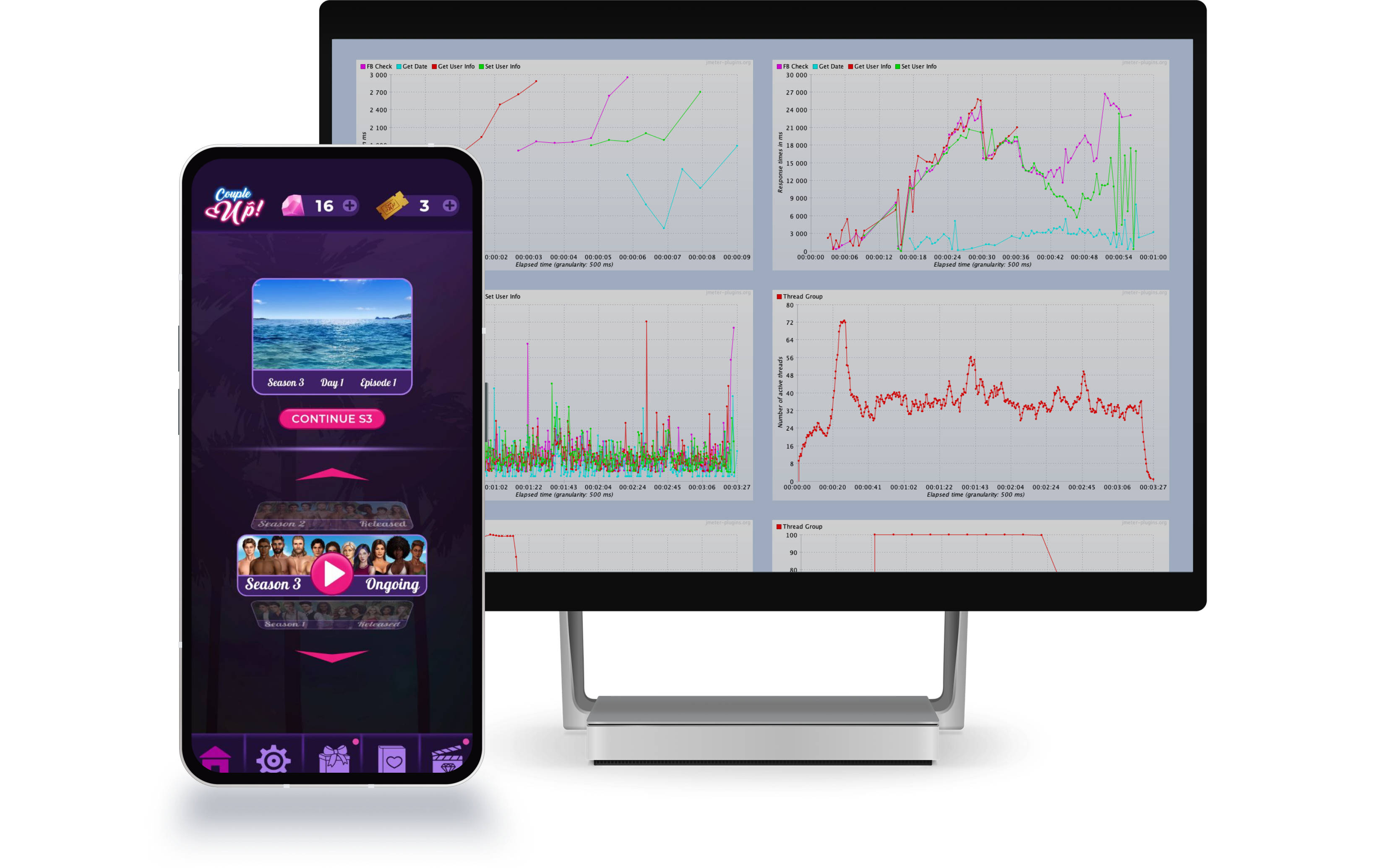
Launching early to “see what happens” is how you burn your review window on a preventable rejection, or worse, launch with a 2% crash rate and watch your Day 1 retention tank. QAwerk has been testing mobile games since 2015. We’ve worked across iOS and Android, as you can see from our numerous bug crawls and dedicated case studies, such as Couple Up!. Our experts know exactly how to help you ensure a smooth launch on every platform. So, if you are ready to go live with your game and want to verify that it performs at 100%, don’t hesitate to contact us to run the last pre-release checks!
Check out how we helped Couple Up! optimize server performance before release