Can’t decide which localization testing tool would actually keep your business from hitting bottlenecks and shipping embarrassing bugs to production? We’re not surprised. The number of products marketed as localization testing tools is enormous, and telling the ones that compete from the ones that complement each other is harder than it should be. The software localization market was worth roughly $4.9 billion in 2024 and is growing about 12.4% a year, so the noise only gets louder every quarter.
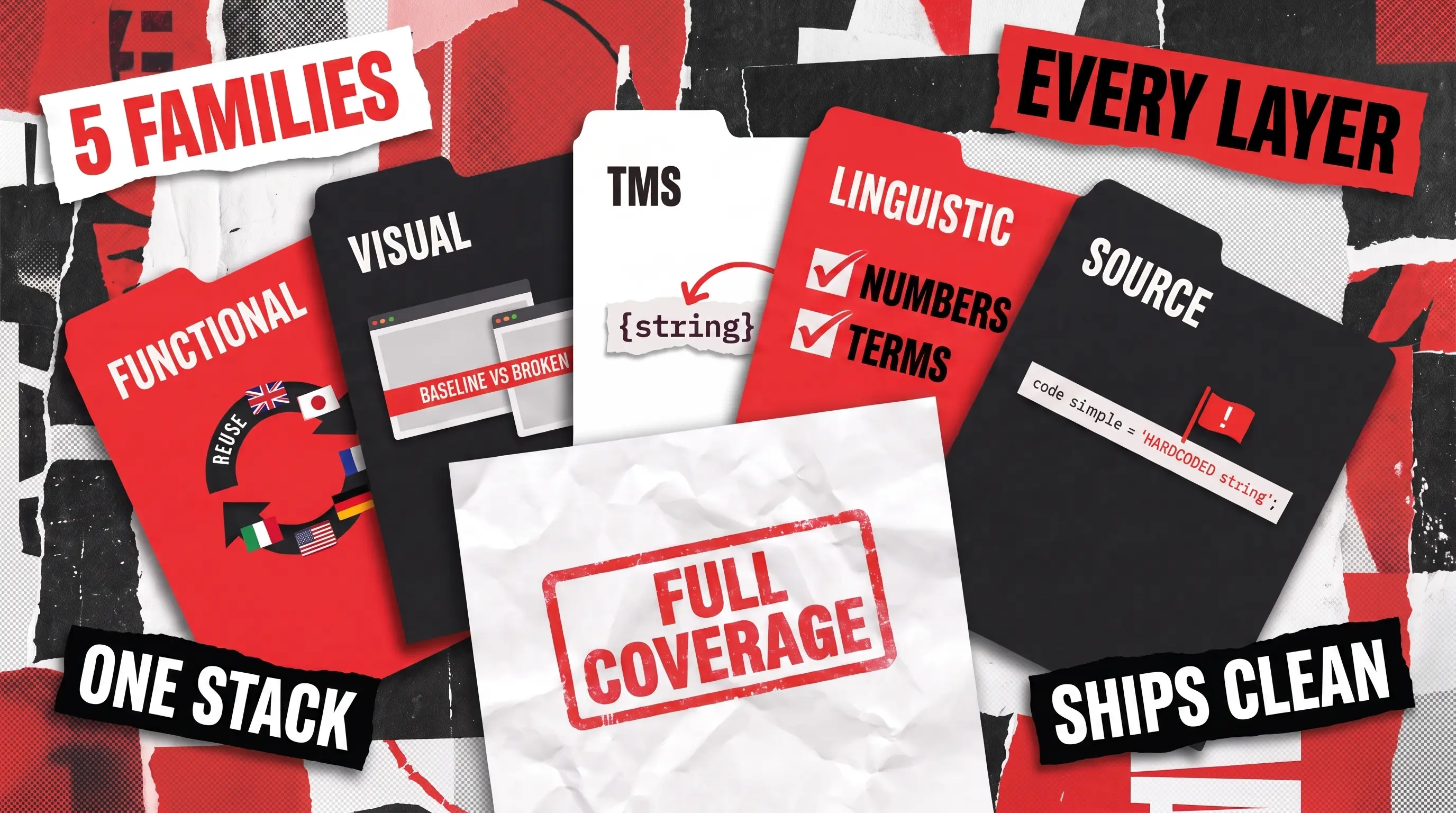
That is why we grouped every option into distinct families, each defined by the single job it does, so you can work through the landscape without second-guessing every choice. And if you are still stuck after reading this, you can reach out and lean on QAwerk’s localization testing services, where we do the heavy lifting for you.
Family 1: Functional and Script-Based Automation
These frameworks drive an application through its states and assert on stable, language-independent locators, so a single script can run across every locale. Their strength is reuse, since a team that already automates functional regression can extend the same suite to check localized builds.
Their limit is that they do not see visual breakage on their own, which is why they pair naturally with the visual tools in Family 2. QAwerk works with these frameworks daily, so the verdicts here come from real projects.
Selenium
Selenium is the long-standing open-source standard for browser automation, controlling browsers externally through the WebDriver protocol. Its defining advantage is breadth: it supports Java, Python, C#, Ruby, and JavaScript, and it runs across Chrome, Firefox, Safari, Edge, and legacy browsers. That flexibility makes it the default for enterprises that need to support diverse stacks and distributed execution through Selenium Grid.
- Broadest browser and language support of any framework
- Massive community and mature ecosystem
- Free and open source, with distributed execution via Grid
- Steep learning curve and heavier setup than newer “all-in-one” tools
- Requires third-party libraries for assertions and reporting (e.g., JUnit, PyTest)
- Lacks the auto-waiting features of modern competitors, meaning tests can turn flaky without disciplined manual synchronization
- Classic HTTP WebDriver execution can be slower than WebSocket-based tools, though Selenium’s adoption of the WebDriver BiDi protocol is actively bridging this gap
Appium
Appium extends the WebDriver model to mobile, automating native, hybrid, and mobile web apps across iOS and Android with one API. For localization work, that single cross-platform suite means one script can drive a build through its flows in every locale, catching functional breakage that shows up only after strings are swapped. Because Appium can switch device language and region through OS settings, teams reuse the same assertions across locales instead of rewriting them. It integrates with Selenium-based frameworks and CI tools such as Jenkins, so localized builds get re-checked automatically on every release rather than in a manual end-of-cycle scramble.
- One API and codebase across iOS and Android
- Open source with strong community support and cloud-device compatibility
- Works directly with .apk and .ipa files
- Slower execution than native frameworks (Espresso, XCUITest) due to the client-server translation overhead
- Flakiness can increase on real hardware, though this is heavily mitigated in modern versions by utilizing server-side Wait Plugins
- Initial environment setup remains notoriously complex, particularly managing iOS code-signing (WebDriverAgent) and navigating the decoupled driver/plugin CLI
Cypress
Cypress runs tests inside the browser rather than through an external driver, which gives it fast feedback, automatic waiting, and time-travel debugging that developers praise. Reviewers repeatedly note that its architecture reduces the timing-related flakiness that plagues older tools, and its setup is simple enough for JavaScript teams to adopt in a day. QAwerk uses Cypress on web projects where developer-friendly debugging and quick feedback loops matter more than broad browser coverage.
- Fast in-browser execution with built-in retries and automatic waits
- Excellent debugging through readable errors and step snapshots
- Simple setup for JavaScript and TypeScript teams
- Strictly limited to JavaScript and TypeScript
- Architecture fundamentally restricts multi-tab testing, and cross-domain handling requires clunky workarounds compared to modern peers
- Native parallel execution and advanced analytics are gatekept behind the paid Cypress Cloud
Playwright

Playwright, developed by Microsoft, offers cross-browser coverage across Chromium, Firefox, and WebKit through one API, plus auto-wait, network mocking, and parallel isolated contexts that reduce flaky failures. QAwerk favors Playwright for locale-heavy suites because one script can validate functional parity across dozens of localized builds with minimal maintenance.
- Cross-browser coverage with a single API and multiple language bindings
- Auto-wait and network interception cut flakiness
- Fast parallel execution and low dependency overhead
- Requires programming skill, which limits contributions from manual testers
- Memory consumption grows during long parallel runs, per daily-use reviews
- Test maintenance can still consume a large share of QA time
Selenium
Functional parity
Web
Open source
Yes
Via custom scripts
Manual assertions
Free
Appium
Functional parity
iOS, Android
Open source
Yes
Via OS pseudo-locales
Via OS settings
Free
Cypress
Functional parity
Web
Open source (paid Cloud)
Yes
Via custom scripts
Manual assertions
Free / mid
Playwright
Functional parity
Web
Open source
Yes
Via custom scripts
Manual assertions
Free
Family 2: Visual and Layout-Diff Automation
These tools take screenshots and compare them against a baseline, ideally at the layout level so only structural breakage is flagged rather than harmless pixel noise. They matter because a large share of localization bugs are visual, showing up as truncated German strings, overlapping labels, or right-to-left layouts that collapse in Arabic.
When QAwerk tested Keystone’s education portal across more than 40 languages, one of the harder defects was a client-side exception triggered only by the Arabic Privacy Statement link, exactly the kind of locale-specific rendering failure that visual tooling is built to surface. The trade-off across this family is baseline maintenance, since every intentional design change means re-approving a new reference image.
Applitools
Applitools is the enterprise leader in visual testing, using Visual AI to flag genuine layout problems while ignoring insignificant rendering differences. It is known for its accurate defect detection, false-positive reduction, and its Ultrafast Grid, which can compress cross-browser visual checks from hours to minutes. QAwerk uses Applitools where visual confidence across many browsers and locales is a priority and the budget supports it.
- Visual AI catches real UI regressions with few false positives
- Detects RTL layout issues and integrates with Selenium, Cypress, Playwright, and Appium
- Ultrafast Grid parallelizes cross-browser checks
- Frequently described as expensive, with opaque per-checkpoint pricing
- Steep learning curve and a dashboard some users call clunky
- Baseline management gets confusing when multiple people update it
Percy (BrowserStack)

Percy, now part of BrowserStack, focuses squarely on visual diffing with strong multi-browser support and smooth CI/CD integration. It is a solid fit for teams already inside the BrowserStack ecosystem, which QAwerk has used on client projects such as ICONOMI and Escuela Coaching for real-device coverage. Percy offers a permanent free tier of 5,000 screenshots per month, but usage-based pricing scales quickly beyond that limit for mid-to-enterprise teams.
- Clean CI/CD integration and reliable snapshot comparison
- Backed by BrowserStack’s device and browser infrastructure
- Simpler to adopt than heavier visual platforms, with a generous free entry tier
- Visual only, with no pseudolocalization support
- Fewer visual AI customization options than Applitools
- Costs climb rapidly with screenshot volume, as testing multiple browsers/widths multiplies the screenshot count per run
Applanga

Applanga (now commercially marketed as GlobalLink Strings by TransPerfect) captures live screenshots from the running app and pairs each string with the exact screen where it appears, so translators and QA see context instead of guessing. That same context feeds pseudolocalization and RTL checks, letting teams spot truncation and layout breaks before a locale ships, which makes it one of the most localization-native tools in the list.
- Captures runtime screenshots with string context directly on mobile devices
- Supports pseudolocalization and RTL testing
- Bridges translation context and mobile layout validation seamlessly
- Highly mobile-centric, so less relevant for web-first products
- Enterprise features scale quickly into custom commercial pricing (though entry-level free tiers exist)
Applitools
Visual/layout drift
Web, mobile, desktop
Commercial
Yes
Pairs with TMS
Detects RTL layout issues
Enterprise
Percy (BrowserStack)
Visual diffing
Web, mobile
Commercial
Yes
No (visual only)
Detects via screenshots
Mid–enterprise
Applanga
Runtime screenshot + string-context capture
Mobile
Commercial
Yes
Yes
Yes
Mid–enterprise
Family 3: TMS-Integrated and Continuous Localization QA
Here the QA checks live inside the translation management system (TMS) and the delivery pipeline, catching missing strings, broken placeholders, and file-integrity problems before they ever reach a build. This is the cheapest place to fix a localization defect, because a broken string caught in the TMS costs a fraction of one caught after release. The common limit of these platforms is that they are strong on file and string integrity but weaker on rendered-UI validation, so they pair with Family 2.
Lokalise

Lokalise is a cloud localization platform that product teams choose for an intuitive interface, strong translation memory, and tight developer workflows including GitHub sync and Figma plugins. It earns consistent praise for fast, knowledgeable support. The recurring complaint is cost, since its per-seat model can push a team of ten toward several hundred dollars a month.
- Polished, user-friendly interface and strong translation memory
- Excellent support and mature developer integrations
- MQM scoring and screenshot context for translators
- Expensive per-seat pricing that scales quickly
- Can feel like overkill for simple projects
- Some users report usability bottlenecks and sluggishness when managing large projects via the Figma plugin
Crowdin

Crowdin is a broad localization platform used for apps, websites, games, and documentation, known for its enormous integration ecosystem of 600 or more connectors and its Copilot agent. It is valued for its automation and CI/CD fit, and its model keeps translators free by charging on hosted words and manager roles instead of per seat. It offers a free tier plus free access for open-source projects.
- Very large integration library and continuous localization support
- Translator-friendly pricing model and generous free tiers
- Strong for community and crowdsourced translation
- Feature depth creates a steep learning curve
- File-based workflow brings sync issues and occasional slow syncs
- Interface can get confusing when switching between projects and platforms
Smartling

Smartling is an enterprise-grade TMS built around workflow automation, visual-context QA, and its Global Delivery Network for translating websites without touching code. It is valued for its automation, analytics, attentive support, and strong language-services coverage for teams translating into dozens of locales. The common criticisms are a dated interface and premium pricing relative to peers.
- Robust workflow automation and configurable quality checks
- Global Delivery Network simplifies website localization
- Strong analytics and dedicated support
- UI is dated and occasionally clunky
- Expensive compared with other enterprise TMS options
- Translation-memory bulk editing and some admin controls are limited
SimpleLocalize
SimpleLocalize is a developer-focused platform notable for dedicated pseudo-locale generation and placeholder QA at a low price point. It suits engineering teams that want internationalization checks baked into a lightweight tool.
- Dedicated pseudolocalization and placeholder QA
- Low, transparent pricing with a free tier
- CI/CD friendly for developer workflows
- Smaller ecosystem and community
- Fewer enterprise workflow features
- Limited public review coverage
Lokalise
String/file QA, placeholders, MQM scoring
Web, mobile, docs
Commercial
Deep (repo sync, CLI)
Yes
Yes
Mid–enterprise
Crowdin
String/file QA, 600+ integrations, Copilot agent
Web, mobile, games
Commercial (free tier)
Deep (700+ integrations)
Yes
Yes
Low–enterprise
Smartling
Visual-context QA, predictive quality models, LQA SDK
Web, mobile
Commercial
50+ integrations
Yes
Yes
Enterprise
SimpleLocalize
Pseudo-locale generation, placeholder QA
Web, mobile
Commercial (free tier)
Yes
Yes (dedicated)
Yes
Low
Family 4: Dedicated Linguistic-QA Tools
These are rule-based checkers that operate on bilingual files and translation memories, run by linguists and language service providers rather than engineers. They verify terminology, consistency, numbers, punctuation, and untranslated or over-translated segments, which is a job neither functional nor visual automation performs.
Their limit is fundamental: they work on text and files, not on the running product, so they see nothing about layout or function.
ApSIC Xbench

Xbench is a widely recognized QA and terminology tool favored by individual translators, with broad CAT-format support and highly customizable checklists. It is valued for its terminology validation and format breadth, though its depth brings a setup learning curve.
- Strong terminology and consistency checks
- Broad CAT-format support with offline and online search
- Free 2.9 version keeps it accessible
- Complexity and checklist setup pose a learning curve
- Not a CAT tool, so it complements rather than replaces one
- Best suited to individual translators rather than large teams
Verifika

Verifika is a dedicated QA tool built for larger teams and LSPs, known for fast batch processing and a built-in interactive error editor. Reviewers highlight its speed on large files and its strong detection of spelling and untranslated segments. It lets reviewers correct issues directly before exporting, which streamlines high-volume review.
- Fast batch processing for large projects
- Interactive in-tool error correction
- Strong at spelling and untranslated-segment detection
- Commercial licensing with no free tier
- Rule-based, so it misses context and nuance
- Geared to teams and LSPs more than solo linguists
QA Distiller

QA Distiller performs locale-dependent checks on numbers, consistency, terminology, and omissions, aimed at agencies and project managers. It is a powerful checker for teams that manage many language pairs.
- Powerful, locale-aware numeric and consistency checks
- Strong omission and terminology detection
- Suited to agency and PM workflows
- Highly specialist and rule-based, requiring Regex knowledge to configure custom checks
- Strictly checks bilingual text files, offering no visual context, UI, or functional layout validation
lexiQA

lexiQA is a cloud tool built around locale-specific, grammar-based checks that are configured per locale rather than as generic patterns. That locale-first design is its main differentiator, giving more relevant results for specific markets.
- Locale-specific checks tuned per market
- Cloud-based and integration-friendly
- Grammar-based rather than generic pattern matching
- Commercial cloud pricing
- Text-only scope, like the rest of the family
CavyaQA
CavyaQA is the AI-driven option in this family, combining traditional rule-based checks with AI linguistic review across bilingual files and TMS content. Where Xbench or Verifika apply fixed rules, CavyaQA layers on contextual judgment, catching issues that depend on meaning rather than on a pattern.
- Blends rule-based checks with AI linguistic review
- Adds contextual judgment that fixed rules miss
- Works with bilingual files and TMS content
- AI review complements rather than replaces native linguists
- Commercial pricing
ApSIC Xbench
Terminology, consistency, broad CAT-format support; offline + online search
Free (older v2.9) / commercial
Best for individual translators; highly customizable checklists; setup learning curve
Verifika
Formatting, terminology, consistency; built-in interactive error editor
Commercial
Fast batch processing; strong for larger teams and LSPs; good at spelling and untranslated-segment detection
QA Distiller
Numbers, consistency, terminology, omissions
Commercial
Powerful, locale-dependent checks; geared to agencies and PMs
lexiQA
Locale-specific grammar-based checks
Commercial (cloud)
Checks built per-locale rather than generic patterns
CavyaQA
Rule-based + AI-driven linguistic review
Commercial
Newer AI option; adds context that fixed rules miss; complements native review
Family 5: Internationalization Source-Code Scanners
These tools run before translation begins, scanning source code for internationalization defects such as hardcoded strings and locale-insensitive methods. They catch failures at the cheapest possible stage. A hardcoded string costs almost nothing to fix during development, but tracking it down after release is a different story. Their scope is deliberately narrow: they find localizability problems, not translation quality.
Lingoport Globalyzer

Globalyzer surfaces i18n issues directly in developer IDEs and scans entire repositories during pull requests, pinpointing exact code locations. It marks false positives and offers AI-suggested fixes, and its rulesets cover languages such as JavaScript, Java, and C#.
- Finds i18n defects at the code level, in the IDE
- Pinpoints exact locations with AI-suggested fixes
- Continuous scanning on pull requests and repositories
- Commercial and enterprise-oriented
- Finds localizability issues, not translation quality
Lingoport Localyzer

Localyzer pairs with Globalyzer to automate resource-file updates and pseudo-locale validation, completing the i18n-to-L10n loop. It automates the file handoff between source and translation with quality checks in each direction. Like its sibling, it is enterprise software with a small public review footprint.
- Automates resource-file updates end to end
- Pseudo-locale validation for early UI testing
- Integrates tightly with Globalyzer
- Best value only alongside Globalyzer
- Enterprise pricing and setup
Android Pseudolocales
Android ships built-in pseudo-locales, en-XA and ar-XB, that let teams test text expansion and RTL behavior in the real UI at zero cost. They are enabled through build.gradle and run inside the actual application, which makes them a first stop for mobile teams.
- Free and built into the Android platform
- Tests text expansion and RTL in the real UI
- Simple to enable via build configuration
- Android only
- Covers pseudolocalization, not translation quality
- No reporting or dashboard layer
Lingoport Globalyzer
Hardcoded strings, locale-sensitive methods, i18n issues in code
Commercial
Pinpoints exact code location; marks false positives; AI-suggested fixes
Lingoport Localyzer
Continuous localization + pseudo-locale validation
Commercial
Pairs with Globalyzer for end-to-end i18n to L10n
Android pseudolocales
Built-in en-XA / ar-XB pseudo-locale testing
Open source (platform)
Enabled via build.gradle; zero cost, runs in real UI
How to Combine These Tools into a Real Stack
Here is the one idea to hold onto: these families do not compete with each other. Each catches a different kind of problem, so a tool from one family cannot cover a gap in another. The skill is not finding a single best tool, but layering a few so they watch every stage of localization. The easiest way to see how they fit is to follow the order in which localization actually happens.
Stage 1: Before Translation, in the Code
Source scanners in Family 5 read your code before a single word is translated and flag problems that are cheap to fix now and painful to fix later.
- Globalyzer finds text written directly into the code instead of set aside for translation.
- Free platform pseudo-locales, like Android’s en-XA and ar-XB, pad and flip text right-to-left so you can preview which screens will break before any real translation exists.
Stage 2: During Translation, in the TMS
A translation management system in Family 3 holds all your text and checks it before it ever reaches a build.
- Lokalise, Crowdin, or Smartling confirm no strings are missing and catch broken placeholders.
- SimpleLocalize gives smaller teams the same core checks at a lower price, with pseudolocalization built in.
Stage 3: After the Build, Checking Function and Layout
Once a translated build exists, you confirm it still works and still looks right. This is where the automation tools for localization testing do the heavy lifting.
- Playwright (web) or Appium (mobile) drive the app through its flows in each language to confirm buttons, forms, and navigation still behave.
- Applitools or Applanga compare each screen against a saved reference to catch cut-off text, overlapping labels, or a layout that collapses in a right-to-left language like Arabic.
Stage 4: Checking the Language Itself
Finally, you check whether the words are correct and natural, which no functional or visual tool can judge.
- Xbench, Verifika, QA Distiller, or lexiQA check terminology, numbers, and untranslated leftovers.
- CavyaQA adds an AI layer of context that fixed rules miss.
How Many Tools Do You Actually Need?
You do not need one from every family. It comes down to how many languages you ship, how often you release, and how costly a slip would be.
- Just starting out (one or two languages): two or three tools are enough. SimpleLocalize for files and pseudolocalization, free Android pseudo-locales for early UI checks, and Xbench for the language.
- Growing SaaS team (several markets): one tool from each of the first three families plus pseudolocalization. For example Playwright, Applitools, Lokalise or Crowdin, free pseudo-locales, and Xbench or Verifika.
- Large company (weekly releases, dozens of languages): depth at every layer. Smartling for the TMS, Globalyzer scanning the code, Playwright and Applitools on every release, and lexiQA or CavyaQA for linguistic review at scale.
The right number of tools grows with your scale, so match the families to your needs and add tools only as you actually require them.
Why Partner with QAwerk
Choosing tools is one thing, and running them well across dozens of locales is another. QAwerk has delivered comprehensive QA services since 2015, covering over 300 projects across North America, Australia, Europe, South Korea, and Africa, and ranked among the best QA companies worldwide by IAOP on its Global Outsourcing 100 list.
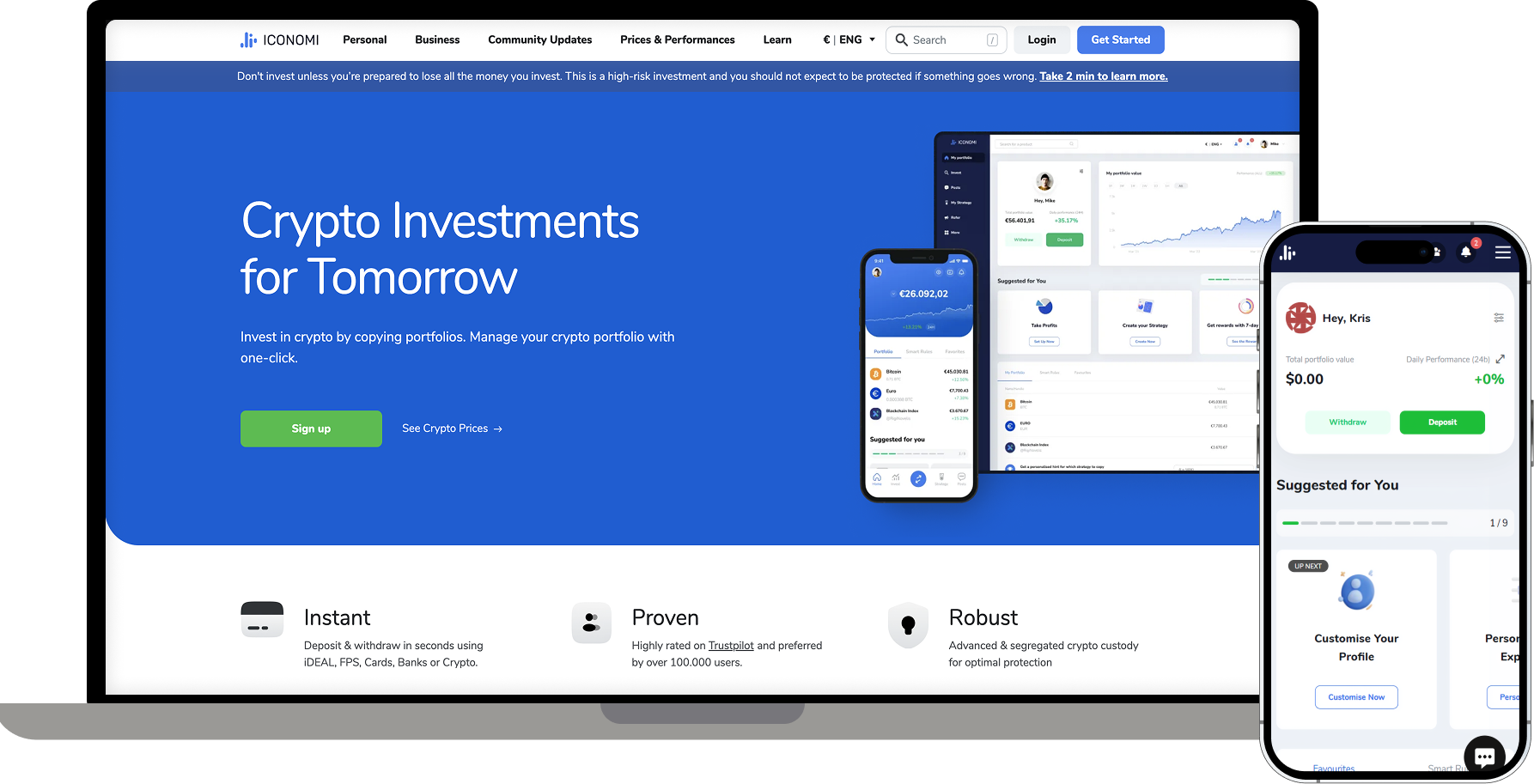
That experience shows up directly in localization work. On Keystone, QAwerk tests a study portal with more than 110 million annual visits across 40-plus localized versions, and partially automated the effort with a reusable script that crawls every page and logs translation issues to a spreadsheet. On Escuela Coaching, the team bug-proofed a coaching platform before launch and verified its English localization from Spanish for over 300 organizations. On ICONOMI, localization testing across locales, date formats, and input validation contributed to a 15% drop in user drop-off. You get deep technical expertise and attentive customer care in the same package, so if localization testing is stretching your team thin, contact us and we will take it from here.
Frequently Asked Questions
What are the best localization testing tools?
There is no single best tool, because each does a different job. The right pick depends on the layer you need to cover: Playwright or Appium for functional checks across locales, Applitools or Applanga for visual and layout validation, Lokalise, Crowdin, or Smartling for translation-management QA, Xbench or Verifika for linguistic accuracy, and Globalyzer for catching internationalization issues in the source code.
What tools automate localization testing?
Automation concentrates in the functional and visual layers. Frameworks like Playwright, Selenium, Cypress, and Appium automate functional checks across every locale, while Applitools and Percy automate visual and layout validation. TMS platforms such as Lokalise and Crowdin automate string and file QA inside the pipeline, and source scanners like Globalyzer automate the hunt for hardcoded strings before translation begins.
Do localization testing tools replace human reviewers?
No. Tools handle the repeatable, structural, and rule-based checks efficiently, but they cannot judge whether a translation feels natural to a native speaker or whether an image or color suits a local market. That final layer of judgment still needs a person, which is why mature teams pair automated tooling with native review.
See how our localization and onboarding testing helped ICONOMI cut user drop-off by 15% across a global crypto platform