Web applications have become the backbone of modern business operations. Consequently, they are a primary target for cybercriminals. According to the latest report from Verizon, application attacks and credential theft are the root causes of 12% of confirmed data breaches globally, with phishing and AI-powered social engineering further escalating the threat landscape.
While it is impossible to stop every attack, you can significantly strengthen your security posture. Web application penetration testing (often referred to as web app pentesting) provides a proactive, clear-eyed approach to identifying vulnerabilities before threat actors can exploit them.
Our penetration testing checklist is forged from deep, real-world experience. Over the past decade, we have successfully conducted testing for more than 1,000 applications. This guide translates that expertise into actionable insights, featuring practical hacks, critical warnings, and proven security testing steps.
Web App Pen Testing Workflow
Effective security doesn’t have to be overly complex. To perform web application penetration testing with both depth and consistency, security teams rely on a standardized checklist. This approach guarantees full coverage and provides a clear, documented path toward risk mitigation.
The following penetration testing checklist is a versatile tool for any leader: it serves as an internal roadmap for your technical staff or as a quality-control template (RFP) when hiring external vendors. Let’s break down the essential phases of a professional web app pentesting workflow.
Information Gathering
Information gathering forms the backbone of any robust web application penetration testing checklist. Seasoned security teams treat this step as an operational prerequisite for mapping out attack surfaces, entry points, and potential weak spots before a single exploit attempt. At this stage, specialists scrutinize the target system’s architecture, technologies, user flows, and embedded third-party modules. The core objective: expose all conceivable security threat vectors. Effective reconnaissance leads to faster, more accurate vulnerability assessment and ultimately streamlines later risk mitigation.
Passive Reconnaissance:
- Identify the IP address, ASN (autonomous system number), and the underlying infrastructure hosting your web application
- Enumerate subdomains and alternative domains through DNS analysis, certificate transparency logs, and third-party search engines
- Leverage OSINT techniques to harvest publicly available intelligence like GitHub repos, developer forums, data leaks, exposed API documentation, and even staff mentions on social media
- Uncover hidden endpoints or legacy systems often ignored in regular scope audits
Active Reconnaissance:
- Use automatic and semi-automatic tools to discover sensitive files, parameters, and applied web technology
- Identify business logic of the application
- Map the application’s attack surface (URLs, parameters, APIs)
- Do gather information without directly interacting with the target system
- Do use different security testing tools like Burp Suite, OWASP ZAP, or Nikto to scan and analyze the attack surface
- Do maintain an organized repository of gathered information for easy reference and analysis
- Don’t overlook robots.txt files, sitemap.xml, or other easily accessible files that might reveal sensitive information
- Don’t overlook the importance of non-technical data such as company policies and employee information
- Don’t ignore the legal and ethical boundaries of information gathering
- Don’t use intrusive tools or techniques that could trigger alarms or cause disruptions without prior consent
“Information gathering is like getting to know your opponent before a big game. It’s about spotting the weak areas, understanding the playing field, and making sure we’re one step ahead. Each of these steps helps us see what a potential attacker might see, but use it to strengthen our defense.”

Configuration & Deployment Management Testing
Security misconfigurations remain one of the most exploited entry points in modern web environments. You can check that it ranks fifth on the OWASP Top 10 web application risk catalog. A single overlooked setting, weak cipher, or dormant test account can hand adversaries direct access to production data.
Using a web application pentesting checklist helps ensure that your infrastructure, server stacks, and deployment pipelines are not introducing vulnerabilities through simple oversight or rushed software rollouts. At QAwerk, we do the following:
- Check for default credentials across login interfaces, admin panels, and service consoles
- Validate security policies embedded in web servers, application frameworks, databases, and orchestration layers
- Identify exposed directories, debug endpoints, and backup files that leak sensitive information or source code
- Assess network communications for weak SSL/TLS configurations, expired certificates, outdated ciphers, and unencrypted channels
- Cross-check third-party libraries and dependencies against known CVEs and exploit databases to flag outdated or vulnerable components
- Review containerization and orchestration configs (Docker, Kubernetes) for privilege escalation risks and insecure secrets management
- Do check the directory and file enumeration, review documentation, and examine infrastructure and app login interfaces
- Do examine the metadata provided by the server during interaction to uncover potential version-related vulnerabilities
- Do use tools such as Nmap (with specified scripts) and Nessus to accurately identify and evaluate ports associated with SSL/TLS services
- Don’t neglect identifying and assessing remnants of old documentation, backup files, or outdated references
- Don’t forget to examine the responses from the OPTIONS HTTP method using tools like Burp Suite or ZAP to unveil potential misconfigurations, as well as unexpected or unsecured endpoints
Authentication Testing
Authentication testing is a big part of web application penetration testing. It ensures that users are who they claim to be. Key areas include login processes, password policies, session management, and MFA. Authentication testing helps prevent account takeover by hackers. Here are the main steps:
- Test for weak password policies and assess password storage mechanisms
- Attempt brute force and credential stuffing attacks
- Check for the implementation of MFA
- Validate session management and identify session fixation or hijacking vulnerabilities
- Investigate brute force protection and account lockout mechanisms
- Do check if it’s possible to “reuse” the session after logging out
- Do check whether any sensitive information remains stored in the browser cache after logout
- Do review the complexity and uniqueness of security questions
- Do investigate for possible SQL injection points within the authentication process
- Do use fuzzing to brute force the credentials
- Don’t assume that MFA is unbreakable. Test for potential bypass methods, such as exploiting fallback authentication methods or flaws in MFA implementation
- Don’t perform brute force attacks without explicit permission from the organization, as these can lead to account lockouts and service disruption
- Don’t neglect to test whether sessions are properly invalidated after logout or inactivity
“Authentication testing is a delicate balance between security and accessibility. At QAwerk, we focus on ensuring that while the system remains impenetrable to unauthorized users, the legitimate user experience remains smooth and uninterrupted.”

Authorization Testing
Authorization testing verifies that authenticated users have the correct level of access to resources based on their roles. While authentication proves who you are, authorization decides what you can do in the app. Broken access control remains the most critical vulnerability in production web applications, making systematic authorization assessment and audit essential before deployment. This security checklist helps identify threat vectors related to improper access control, prevent exploitation attempts, and support risk mitigation across your infrastructure.
For a comprehensive authorization testing process and best practices, make sure to:
- Verify role-based access control (RBAC) and check for privilege escalation
- Test for horizontal and vertical privilege escalation vulnerabilities
- Test for proper segregation of duties and least privilege principles
- Attempt unauthorized access to sensitive resources and authorized functions
- Do verify that the app’s logging mechanisms are robust and can provide insights into potential authorization breaches
- Do test for path traversal by creating paths that attempt to access files or directories outside of the intended scope
- Do examine URLs for parameters that could potentially be manipulated
- Do analyze HTTP headers and all forms for potential input points
- Do try to execute authorized requests in different roles under an unauthorized or a low-privileged user
- Don’t assume that internal systems are less prone to authorization issues
- Don’t assume that just because an app has RBAC or other access controls in place, they are correctly configured
- Don’t neglect to test authorization controls from the perspective of low-privilege accounts
- Don’t forget to test indirect access paths, such as through APIs, file uploads, or less-secured parts of the app
Session Management Testing
Session management is what keeps a user logged in securely from the moment they sign in until they log out. It uses unique session IDs to track a user’s activity and ensure their connection remains private. However, if these IDs are handled poorly, they become an open door for hackers to hijack a user’s account without needing a password. Including this in your penetration testing checklist is vital. It is a critical safeguard for your cybersecurity audits and a key component of industry compliance.
Here’s how to perform effective session management testing as part of your penetration testing and risk mitigation strategy:
- Assess the security of session cookies (HttpOnly, Secure flags)
- Test for session fixation, session hijacking, and session replay vulnerabilities
- Ensure proper session expiration and invalidation after logout or inactivity
- Verify the uniqueness and randomness of session identifiers
- Do check if session identifiers are leaked or transmitted via insecure communication channels or GET methods (GET requests can expose tokens in URLs)
- Do collect a sufficient number of session samples to analyze the session algorithm against randomization, forged attacks, and hijacking
- Do experiment with modifying session attributes (try changing the domain, path, or expiration date) to see how the application responds
- Do check if the session does not contain any personally identifiable information (PII) or sensitive data inside
- Don’t forget to test session timeout mechanisms in cases where “remember me” functionality is implemented
- Don’t neglect to test session management across various devices and browsers to ensure consistent behavior and security
- Don’t forget to check if the session is fully cleared from the browser after logout
Data Validation Testing
Data validation testing finds weaknesses in how the app handles data. This stage involves comprehensive checks for common security flaws, including various types of code injections and overflow errors. The goal is to make sure the application stays unyielding against data manipulation and tampering attacks. Here’s a testing checklist for web application data validation:
- Review the app’s JavaScript code for common coding errors
- Test the app’s parameters against SQL injections
- Examine the HTML code for potential cross-site scripting (XSS) vulnerabilities, such as reflected XSS, stored XSS, or DOM-based XSS
- Test for WebDAV injection vulnerabilities to access sensitive information about users and hosts
- Test for IMAP/SMTP injection vulnerabilities on the email web forms to gain unauthorized access to the backend mail server
- Test for XPATH injection vulnerabilities to access confidential information stored in XML documents
- Test for XML injection vulnerabilities to learn about the XML structure and potentially exploit vulnerabilities
- Test for code injection vulnerabilities by injecting malicious code into input fields
- Test for template injections that could lead to code execution on the backend side
- Test for HTTP splitting and smuggling vulnerabilities that could manipulate cookies or HTTP redirects
- Do test all input points for SQLi: every user input field, HTTP header, and URL parameter
- Do analyze cache headers and work on cache poisoning and HTTP smuggling attacks
- Do investigate potential injection points in the application and use fuzzing methods to discover:
- SQL injections
- XSS
- XPath
- XEE
- Template injections
- Do attempt to bypass defense mechanisms by injecting special HTTP headers
- Don’t underestimate the creativity of attackers in exploiting data validation flaws
- Don’t overlook less obvious injection points or data processing areas
- Don’t let any user input to pass without filtering and security checks
“I’ve seen too many apps with weak input validation that could have been easily hacked. Data validation is indeed the bedrock of web app security. Improper input validation can lead to attacks like XSS, SQL injection, and buffer overflows, so it shouldn’t be taken lightly.”

Denial of Service Testing
Denial of service (DoS) testing evaluates an app’s resilience to attacks aiming to shut it down. These attacks may overwhelm your app with excessive requests, exploit vulnerabilities to crash processes, or drain resources until real users can no longer access core features. According to multiple 2025 threat landscape reports, retail, fintech, and logistics platforms faced record-breaking DDoS attacks during year-end peaks, with traffic surges surpassing previous records and targeting both network and application threat vectors. Modern attackers blend volumetric floods with slow application-layer strikes and even cloud penetration techniques against APIs.
The goal of DoS testing is to identify and mitigate weak points that could lead to service disruption, supporting risk mitigation and rapid remediation to keep the application stable and functional, even under extreme load. Here’s how it’s done:
- Decide which systems, services, and resources you’ll target, and set limits for how much stress you’ll put on them
- Simulate various types of DoS attacks, such as volumetric attacks (flooding with traffic) and application-layer attacks (Slowloris)
- Set up alerts to detect when the system reaches critical thresholds or becomes unresponsive, allowing for a quick response to prevent lasting damage
- Document the outcomes of the DoS tests, including the types of attacks used, their impact on the system, and any problems found
- Do obtain explicit written permission from stakeholders before conducting DoS testing
- Do coordinate with network administrators and security teams to minimize disruption during testing
- Do use tools like HOIC, and hping3 to generate different types of traffic and assess the system’s response
- Do use tools like Burp Suite, ZAP, and JMeter (Apache) to define application forms and parameters and try to fuzz them with a great amount of repeating for creating an application DoS attack
- Don’t conduct DoS tests on live production systems unless absolutely necessary and only after thorough planning and risk assessment
- Don’t push the system beyond the predefined limits, as it can cause irreparable damage
- Don’t forget to consider the legal and compliance implications of DoS testing, especially if testing involves external or third-party services
QAwerk’s Expertise in Web App Penetration Testing
At QAwerk, we approach penetration testing with a hacker’s mindset, identifying subtle yet crucial vulnerabilities in your software and IT infrastructure. Our experienced penetration testers leverage automated tools and manual techniques to uncover hidden vulnerabilities.
We simulate real-world attacks, identifying weaknesses in authentication, authorization, input validation, session management, and more. Our goal is to provide a comprehensive assessment of your web application’s security posture.
Our Key Services:
- Vulnerability Scanning: We rely on multiple open-source and commercial pentesting tools to automate routine tasks and get accurate insights about your web app security.
- Penetration Testing: Our experts simulate common cyberattacks to assess the real-world impact of vulnerabilities and provide actionable advice.
- Load Testing: Load testing can help you prepare for DDoS attacks. It’s a performance test that shows you problems like slowness or crashes when lots of people use your app. This lets you find the breaking point and see how your system handles heavy traffic. See how we helped an indie game developer identify their breaking point and significantly improve server performance.
- Compliance Testing: We’ll help ensure your web application adheres to industry standards and regulations, such as PCI DSS, HIPAA, GDPR, and DORA.
- Code Security Audits: We conduct thorough security audits to identify issues before they become a major headache. Our code security audit is well structured and divided into Architecture Review, Database Review, Code Quality, Test Coverage, and Security Review.
Our services align with key cybersecurity regulations, ensuring compliance and enhancing your overall security posture. Contact us today for a free consultation and learn how our web application penetration testing service can benefit your business.
Final Wrap Up
As web apps grow more complex and business-critical, the risks of security breaches are accelerating rapidly. Investing in regular pen testing and systematic vulnerability assessment helps organizations identify and fix security problems before attackers exploit them, protecting valuable assets and maintaining customer trust. Our web application penetration testing checklist is a proven framework for fortifying apps against modern threat vectors, misconfigurations, and exploit techniques. By following our pentesting guide and best practices, you gain visibility into every critical security gap.
At QAwerk, we help businesses stay ahead of cybersecurity threats. Don’t wait for a data breach to happen — proactive penetration testing is your strongest defense. If you have questions or need guidance on your security checklist or risk mitigation strategy, we’re here to help. Let’s talk about how to improve your web app security!
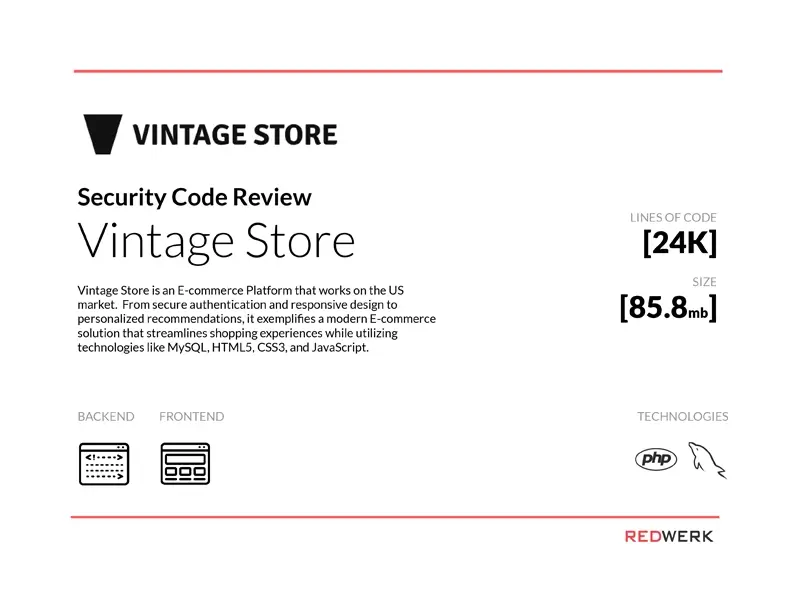
See a sample of our security code review of a US-based e-commerce platform